
Run a structured vote attached to your actual trip: dates first, then must-do activities, then optional extras. Start with three moves: collect everyone's availability, shortlist your activity options, and run a quick Love/Maybe/No or ranked vote on each list. CrewsCanvas bundles this into one place with DateSync for date polling, built-in voting templates for activities, and expense tools so the winning plan turns into a real itinerary instead of another forgotten group chat thread.
TL;DR:
- Using structured voting tools reduces decision drift by creating a clear record of support for dates and activities, preventing plans from being forgotten or revisited.
- Approval voting is ideal for activities with many options, while ranked-choice or weighted voting better suits selecting top priorities or when preference intensity matters.
- Setting clear deadlines, budget thresholds, and accessibility filters before voting ensures the process remains efficient, inclusive, and aligned with group constraints.
- Linking votes directly to bookings and costs prevents miscommunication and helps maintain the trip's budget and logistical coherence.
- Consistent reminders, multiple response channels, and transparent results keep all participants engaged and foster higher satisfaction with the decision-making process.
Table of Contents
- Why structured voting beats endless chat and how it prevents decision drift
- Which voting method to use for dates, activities, and constrained choices
- Templates and a step-by-step workflow for running your vote
- Keep votes attached to bookings so nothing gets revisited
- Keeping every participant engaged and in the loop
- Making sure every vote is accessible and inclusive
- What building CrewsCanvas taught us about voting design
- How CrewsCanvas puts this workflow into practice
- Sources
- FAQ
Why structured voting beats endless chat and how it prevents decision drift
Group chats are where good plans go to die. Someone suggests a hike, three people react with a thumbs up, then the thread moves on to dinner plans and the hike is never mentioned again. That's decision drift: a choice gets made informally, then buried, then remade from scratch a week later because nobody wrote it down.
Structured voting fixes this by turning a scattered conversation into a record. Every option gets a vote, every vote gets counted, and the result sticks to the trip instead of scrolling off the screen. Research on group decision systems backs this up directly: fairness-aware voting approaches can improve group satisfaction compared with a simple majority count, according to simulation work from the Sparrow project, which also found that asynchronous voting tools help quieter group members participate on equal footing instead of letting the loudest planner win by default.
A structured vote gives you three practical wins over chat-based planning:
- Faster closure: a vote has a deadline, a chat thread does not.
- Higher participation: people who would never type "I vote yes" will tap a button.
- Fewer re-opens: a recorded result is harder to casually override than a buried message.
Structured, asynchronous voting tools reduce the tyranny of the loudest voice in group planning, according to Sparrow's analysis of group planning behavior, which means the trip reflects the whole group, not just whoever replies fastest.
Which voting method to use for dates, activities, and constrained choices
Not every decision needs the same kind of vote. Matching the method to the decision is what keeps things fast instead of turning into a second debate.
- Approval voting (Love/Maybe/No) works best for activities, restaurants, and anything with more than three options. Everyone marks each item without ranking it, so you see support at a glance and can drop anything that gets mostly "No."
- Ranked-choice voting fits when you need to pick a top three or four from a longer list, like excursions for a five-day trip. Ordering matters here because you want the group's actual priority, not just a yes or no.
- Weighted or token voting works when intensity of preference matters more than headcount. Give each person a fixed number of tokens (say, five) to spread across options, so someone who feels strongly about one activity can put real weight behind it instead of casting one flat vote.
- Discussion or consensus rounds come after the vote, not instead of it. If a result sits close to a tie, or a vocal minority strongly opposes the winner, that's the moment to open a short discussion rather than force the numbers to decide everything.
Approval and disapproval-aware systems exist for a reason: simple majority voting can quietly suppress minority preferences, a point well established in social choice research, which is part of why a flat majority vote on where to eat dinner can leave the same two or three people unhappy trip after trip.
Pro Tip: Use approval voting for anything reversible (restaurant picks) and ranked or weighted voting for anything that needs booking in advance, like tours or excursions.
Templates and a step-by-step workflow for running your vote
You don't need custom software to run a clean vote, just a repeatable format. Here's a workflow you can paste into a shared doc, a group chat, or a planning tool today.
Date poll template:
- List every candidate date range as a separate option.
- Ask each person to mark "Free," "Maybe," or "Can't."
- Close the poll after 48 to 72 hours, or once everyone has responded, whichever comes first.
- Break ties with a simple rule set in advance: earliest date wins, the host decides, or the range with the most "Free" (not just fewest "Can't") wins.
Activity ballot template, one row per option, with these fields:
- Name and location or booking link
- Estimated cost per person
- Dietary or accessibility notes
- Vote type attached (approval, ranked, or token)
Before you open voting, run two quick filters. First, a budget filter: drop anything that would put the per-person cost over what the group agreed to upfront. Second, an accessibility filter: remove or flag anything that isn't workable for a participant's mobility, dietary, or scheduling needs, so nobody has to publicly object once voting starts.
Once votes are in, a short moderator checklist keeps momentum:
- Announce the winning items and the vote counts.
- Assign one person to book each winning item.
- Set a booking deadline, ideally within a week of the vote closing.
- Note who is responsible if a booking falls through.
Keep votes attached to bookings so nothing gets revisited
A vote that isn't linked to your trip record is just an opinion poll. Structured voting anchored to the itinerary preserves the reasoning and links behind each choice, which is what actually reduces miscommunication down the line, according to the Sparrow project's findings on group itinerary planning.

Before you open any vote, show a rough per-person cost range for each option. A $300 excursion can win a popularity vote and still blow up the trip budget once someone realizes it's $300 per person, not per group. Moderators should set that budget threshold before voting starts, not after a winner emerges that half the group can't afford.
A simple post-decision flow looks like this:
- Estimate the cost of each option before voting opens.
- Assign who pays and who collects payment once a winner is chosen.
- Automate the final settlement so nobody is chasing venmo requests two weeks later.
Pro Tip: Keep a single "decisions" section in your planning doc. If a choice needs to be reopened, note why and who approved the change, instead of quietly overwriting it.
Keeping every participant engaged and in the loop
A vote only works if people actually see it. The fastest way to kill participation is to bury a poll on page four of a group chat where half the group has notifications muted.
Send one clear message when a vote opens: what it's for, how to vote, and when it closes. Repeat that message once, about halfway through the voting window, for anyone who missed it the first time. A single reminder catches most stragglers without turning into nagging.
Give people more than one way to respond. Some will vote instantly from a phone notification, others need a nudge in a direct message, and a few will only respond if you literally ask them out loud on a call. Mixing channels, rather than assuming everyone lives in the same group chat, closes that gap.
Close the loop after every vote. Post the result, note who's booking what, and thank the group for weighing in. That small step matters more than it seems: it tells quieter participants their vote actually counted, and it's what keeps them engaged the next time you run a poll. Iterative check-ins like this, rather than one static vote, are also what consensus-model research points to as a driver of higher group satisfaction over the course of a trip.

Making sure every vote is accessible and inclusive
A voting system that only works for tech-comfortable, always-online people isn't actually measuring your group's preferences, just the preferences of whoever finds it easiest to respond.
A few habits keep votes fair for everyone:
- Offer a non-app option. Not everyone wants to download something new for a single trip; a link that works in any browser removes that barrier.
- Give real time zones room to breathe. A 24-hour voting window can quietly exclude someone traveling or working night shifts.
- Flag cost and physical accessibility upfront. List estimated prices and any mobility requirements next to each activity so nobody has to ask in front of the group.
- Protect minority preferences. Approval and disapproval-aware voting formats are better than a flat majority vote at surfacing what a minority actually wants, a point social choice researchers have raised directly about majority-rule systems.
None of this needs to slow the process down. It just means building the pre-filters and the reminder message into your workflow from the start, rather than fixing exclusions after someone's already been left out of a booking.
What building CrewsCanvas taught us about voting design
Designing DateSync, PickIt, and our AI itinerary builder taught us that gamification helps, up to a point. Adding simple visual feedback to a vote increases participation, but labeling anything a "winner" or "loser" backfires fast, a pattern also documented in university research on gamified group planning tools. Three lessons stuck with us: keep the language collaborative, always leave a discussion path open after a vote closes, and let SplitEase handle the money conversation so it never gets tangled up with the activity vote.
— CrewsCanvas
How CrewsCanvas puts this workflow into practice
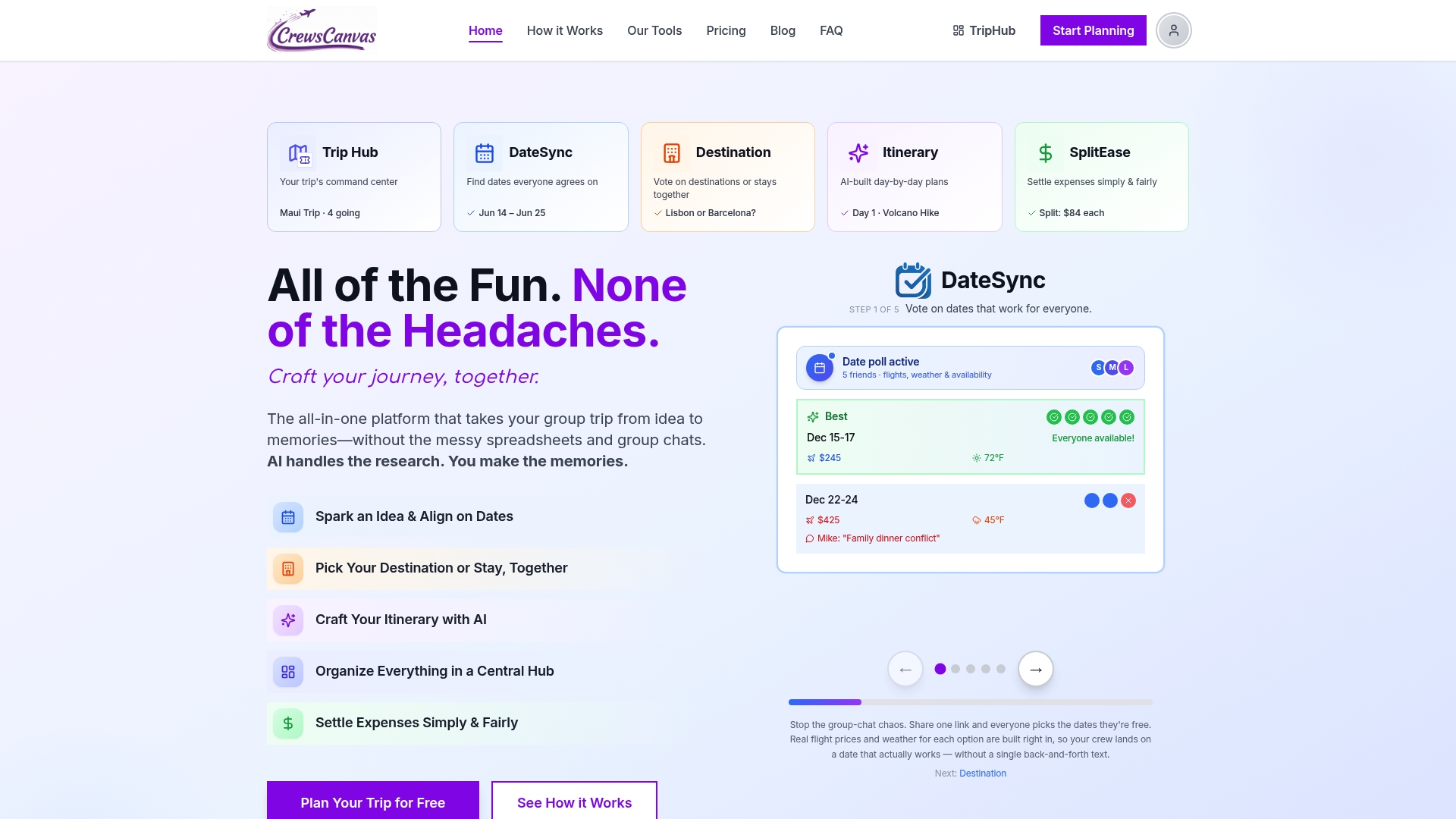
Everything above works with a shared doc and some discipline, but CrewsCanvas was built to remove the manual parts. DateSync handles the date poll and tie-breaking automatically. Built-in voting templates cover activities and restaurants without you building a spreadsheet from scratch, and our AI itinerary builder turns the winning votes straight into a draft schedule. SplitEase picks up right after, splitting costs for whatever the group just voted on so nobody has to bring up money separately.
Small trips can run this entirely on the Free plan. Bigger groups or trips that need more advanced planning features can move to paid plans or one-time purchases, with current prices available on the CrewsCanvas pricing page. Most organizers get a date poll live and their first activity ballot open within ten minutes of signing up. Once you're booking activities, a tour and activity booking platform can help you lock in deposits for whatever wins the vote.
Sources
- Sparrow – A Travel Itinerary Recommender System for Group Preferences
- Social choice
- CSE 440 - PlanVenture design project
- An overview of consensus models for group decision-making
FAQ
What is the best way to vote on travel dates?
Poll every candidate date range and ask each person to mark themselves as free, maybe, or unavailable, then close the poll after 48 to 72 hours. Set a tie-breaking rule in advance, such as earliest date wins or the range with the most confirmed "free" responses.
How do you vote on group activities without excluding anyone?
Use approval voting (Love, Maybe, No) so everyone can respond quickly without ranking every option, and list estimated cost and accessibility notes next to each activity before voting opens. Offering a browser-based link instead of requiring an app download also keeps participation open to everyone in the group.
What happens when a travel vote ends in a tie?
Set your tie-breaking method before you open the vote, whether that's the organizer casting a deciding vote, the earliest-closing date winning, or a short discussion round for the tied options. Consensus-model research supports accepting a result once support crosses a clear threshold rather than re-voting indefinitely, according to recent group decision-making literature.
Can CrewsCanvas handle both date and activity voting?
Yes. CrewsCanvas offers DateSync for date polling and separate voting templates for activities, restaurants, and destinations, all attached to the same trip record so results turn directly into a draft itinerary.
How long should a group travel vote stay open?
Most date and activity votes work well with a 48 to 72 hour window, long enough to catch people across different schedules without stalling the planning process. Sending one reminder partway through the window typically captures most of the stragglers.