
The best collaborative trip planning approach uses one shared hub instead of five scattered apps, and that hub needs three things: date voting so you settle when to go, a shared editable itinerary so everyone sees the same plan, and transparent expense splitting so nobody's stuck chasing payments. CrewsCanvas builds all three into a single platform. The rest of this guide walks through how to run that process from the first message to the final settle-up.
TL;DR:
- Setting a firm date poll deadline before announcing the trip prevents endless back-and-forth and helps maintain momentum in planning.
- Using an itemized expense ledger from the beginning makes settlement straightforward, especially when combined with early tagging of payments.
- Running the date poll with hard constraints and preference rankings improves the chances of finding a suitable travel window for everyone.
- AI itinerary generators can produce helpful initial plans but require human review and group voting to ensure accuracy and consensus.
- An all-in-one platform like CrewsCanvas enables easy invites, organized reservations, and coordination without participants needing to download apps or create accounts.
- ✓Vote on dates with DateSync
- ✓Generate a shared itinerary with AI
- ✓Manage expenses with SplitEase
Table of Contents
- What collaborative trip planning tools should actually do
- How to run a group trip planning session from start to booking
- Solving the two hardest coordination problems: dates and money
- Building an itinerary and reservation hub everyone can actually use
- Why an integrated platform beats piecing tools together
- What actually works when you're the one planning
- Getting started with an all-in-one planning platform
- Sources
- FAQ
What collaborative trip planning tools should actually do
A good group trip planning tool solves a specific problem at each stage, not just "organization" in general. Here's the checklist worth holding any platform to:
- Date polling (like DateSync) turns "when works for everyone?" into a quick vote instead of forty back-and-forth texts.
- Shared, editable itinerary with a map or timeline view lets the group see the whole trip at once and catch scheduling conflicts before they become airport arguments.
- Link and booking attachment keeps flight confirmations, hotel reservations, and restaurant links in one place instead of buried in someone's inbox.
- Expense ledger (like SplitEase) tracks who paid for what and settles up automatically, which removes the awkward "so, about the Venmo" conversation.
- Task assignments give each trip a clear owner for flights, lodging, and activities so nothing falls through because everyone assumed someone else had it.
- Permission tiers and notifications keep guests updated without requiring every participant to create an account.
- Web-based access means no one has to download an app just to vote on dates.
AI-assisted itinerary generation, the kind CrewsCanvas's itinerary builder offers, can draft a day-by-day plan in seconds based on group preferences. It's a strong starting point, not a final answer: someone in the group still needs to check travel times, confirm opening hours, and make sure the plan matches what people actually voted for.
How to run a group trip planning session from start to booking
Running a group trip well is less about personality and more about sequence. Skip a step and you'll circle back to it later, usually at a worse time.
- Kick off with scope and roles. Agree on a rough budget range, decide who owns what, and set a few communication norms (one channel, response deadlines) before anyone starts Googling flights.
- Poll dates first. Run a DateSync-style vote with a firm cutoff, and have a plan for subgrouping if half the group can only go in June and the other half in August.
- Shortlist destinations with quick votes at top ski resorts. Collect ideas from everyone, then narrow the list with a fast poll, flagging must-haves and dealbreakers as you go, a process the CrewsCanvas guide on picking a destination everyone agrees on walks through in more detail.
- Build the itinerary together. Lay out a day-by-day timeline, assign booking tasks to specific people, and attach confirmation links as soon as they exist.
- Finalize and settle. Lock in bookings, reconcile the expense ledger, and export or download an offline copy for travel days when Wi-Fi is unreliable.
Pro Tip: Set the date poll deadline before you announce the trip, not after; a vote with no cutoff turns into a group chat that never resolves.
Each step builds on the last, so resist the urge to start booking flights before dates are locked. That's the single most common reason group trips fall apart before they even start.
Solving the two hardest coordination problems: dates and money
Date scheduling and expense splitting cause more group trip friction than everything else combined, and both have workable fixes.
For dates, capture hard constraints first (work blackout weeks, a wedding, a passport that's expiring) before you even open a poll. Then let people rank preferences instead of just picking one option, set a real voting deadline, and allow subgroups when the group is to spread out to converge.
For money, the fix is structure applied early and often:
- Keep an itemized ledger from day one instead of trying to reconstruct receipts at the end.
- Tag who paid for what as it happens, not in a frantic spreadsheet the week after you get home.
- Decide the splitting rule (equal split versus itemized by person) before the first purchase, not after.
- Settle up in small batches with simple payment links instead of one dreaded lump sum.
Automation helps with the math and the reminders, but the rules (who pays for what, how ties get broken) work better as explicit group decisions than as defaults baked into an app.
Multi-user planning is genuinely hard, even for AI. GroupTravelBench found that plan validity for automated agents handling multi-user travel tasks remained low across a benchmark of many multi-user tasks, which is why explicit polling and preference capture still beat letting an algorithm decide for the group.

Building an itinerary and reservation hub everyone can actually use
An itinerary is only useful if everyone can find what they need in it without asking. That means every booking link, confirmation number, and document lives in one reservations area instead of scattered across email threads and screenshots. CrewsCanvas's toolkit handles this through TripHub, which keeps attachments tied to the day and activity they belong to.
A map or timeline view earns its place here too: it's the fastest way to spot that your dinner reservation is forty minutes from your hotel with twenty minutes to spare. Catching that kind of conflict on a screen beats catching it in a taxi.
- Owner: full editing rights, manages the master itinerary.
- Editor: can add or adjust plans without needing owner approval for every change.
- Viewer: sees the finished plan and reservation details without editing access.
- Offline export: a downloaded copy for travel days when signal is spotty.
Why an integrated platform beats piecing tools together
Group travel planning is a distinct coordination problem, not a smaller version of solo trip planning. GroupTravelBench's research found that fully automated planning agents struggle badly with multi-user tasks, which is exactly why explicit preference elicitation and polling matter more than handing the whole decision to software. Related work on multi-agent trip planning, including TRIPPULSE and TriFlow, backs this up: itineraries improve when the work is broken into specialized pieces (dates, lodging, transport, cost) with structured decisions at each stage, rather than one big undifferentiated plan.
Structured preference capture, ranking options as must, prefer, avoid, or reject, plus regular group summaries, accelerates consensus and surfaces conflicts early.
That's the logic behind DateSync's polling structure and SplitEase's itemized ledger: each one turns a fuzzy group decision into a clear, trackable one.
What actually works when you're the one planning
A few habits separate group trips that come together smoothly from the ones that drag on for weeks:
- Poll early. Dates and destination decided in week one save you three weeks of stalled group chats.
- Assign owners. Someone specific handles flights, someone specific handles lodging, no shared responsibility that quietly becomes nobody's job.
- Keep expenses visible. Log costs as they happen so settling up is arithmetic, not archaeology.
What to avoid: don't spread the planning across five different apps, don't put off settling money until the trip is over, and don't ignore subgroup schedules when part of the group has different constraints. Bigger groups, past eight or so people, need a little more structure: a clear decision-maker for tie-breaking votes and a willingness to split into parallel sub-itineraries when consensus stalls.
— CrewsCanvas
Getting started with an all-in-one planning platform
If you're tired of stitching together a group chat, a spreadsheet, and three separate apps, CrewsCanvas puts the whole workflow in one place.
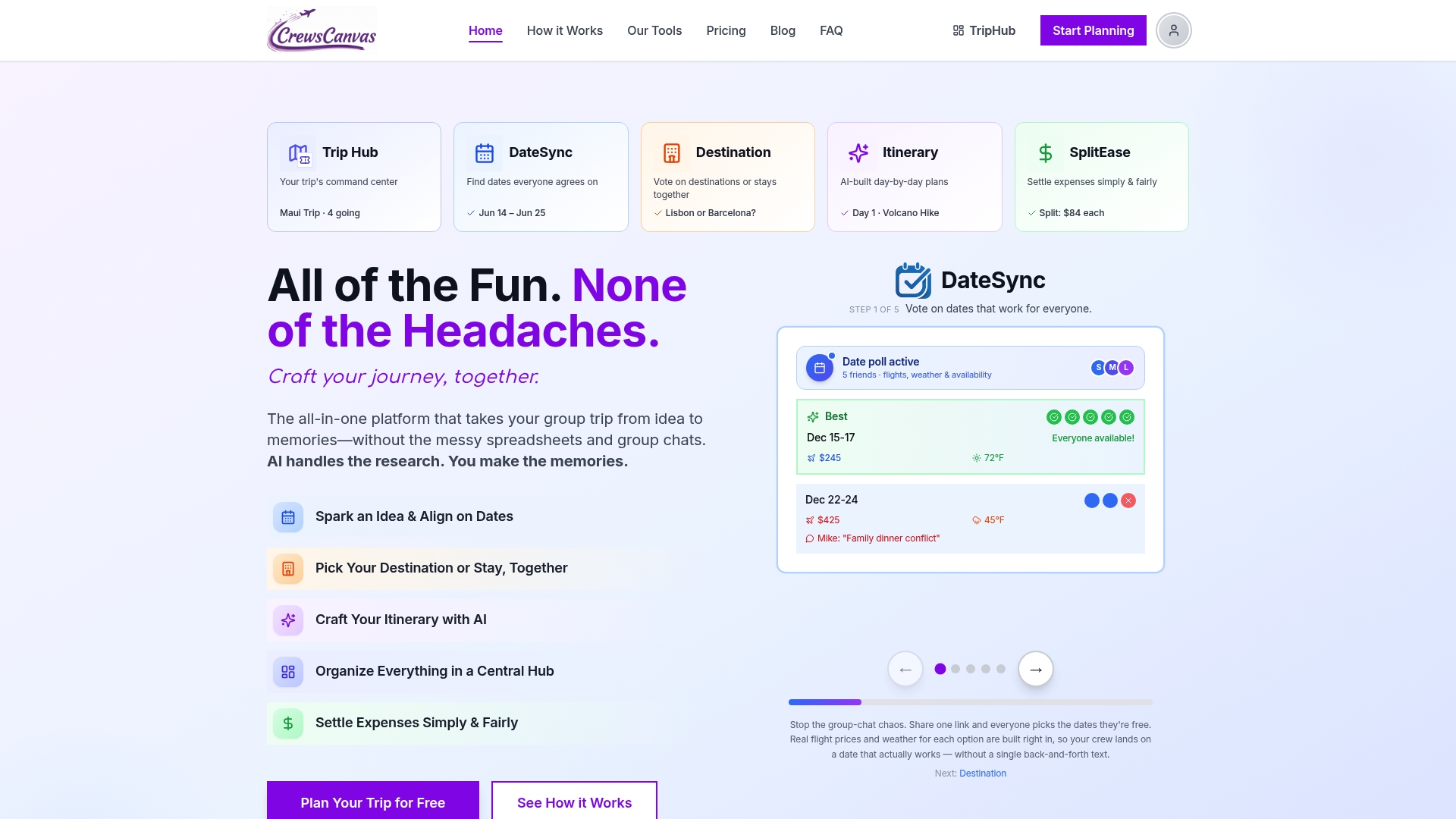
DateSync handles date polling, SplitEase manages expense splitting and settlement, the AI itinerary generator drafts a starting plan for the group to adjust, and TripHub keeps booking links and confirmations organized by day. None of it requires participants to download an app or create an account, so the friction that usually kills group trip planning never gets a chance to start.
Getting going takes three steps: create a trip, invite your group with a shared link, and run your first date poll.
- Start on the Free plan for smaller trips.
- Upgrade to the Pro Subscription with a monthly subscription for ongoing group trips.
- Or pick One-Trip Pro as a one-time purchase if you're only planning a single trip.
Check pricing and plans to see what fits your group.
FAQ
What is the best way to plan a trip with a group?
Use one shared hub that handles date voting, a shared itinerary, and expense splitting instead of juggling separate apps and spreadsheets. This keeps everyone looking at the same information and removes the back-and-forth that usually stalls group planning.
How do you split expenses fairly in a group trip?
Keep an itemized ledger from the start, tag who paid for what as it happens, and agree early on whether you're splitting equally or by item. Tools like SplitEase automate the math so settling up doesn't require a spreadsheet reconciliation at the end of the trip.
How do you pick dates when everyone has different schedules?
Run a poll that captures hard constraints first, then let people rank their preferred windows, and set a firm voting deadline. When a group is too spread out to agree, consider subgrouping so part of the group can travel on one set of dates and part on another.
Can AI actually plan a group itinerary?
AI can draft a starting itinerary quickly based on group preferences, but research on multi-user planning shows automated agents still struggle with multi-user tasks, so human review and voting remain necessary. Treat an AI-generated plan as a first draft, not a final decision.
Do all trip participants need to download an app?
No. Platforms like CrewsCanvas allow group members to join, vote, and view the itinerary through a shared web link without installing an app or creating an account. Only the organizer typically needs a full account to manage the trip.