
Build one shared, editable itinerary, assign clear roles, and lock key bookings early. Do that and the trip runs itself instead of running through you. Success looks like this: dates are set, flights and lodging are booked on schedule, everyone knows what they owe and when, and nobody is buried in a 200-message group chat trying to find the hotel address. A platform like CrewsCanvas builds this workflow around date polling and shared documents, following the same checklist logic travel planning experts recommend.
TL;DR:
- Using shared, editable tools for booking flights, lodging, and activities helps prevent last-minute changes and keeps everyone informed.
- Locking in dates within 48 to 72 hours and booking high-priority items early reduces risks of sold-out accommodations or volatile airfare.
- Assigning clear roles such as organizer, finance lead, activity lead, and local guide minimizes confusion and streamlines decision-making.
- Creating a detailed day-by-day template with buffers and responsibilities ensures smoother daily flow and accommodates last-minute delays.
- Linking all reservations, payments, and documents to a single shared platform prevents disorganization and guarantees the group’s shared information remains up-to-date.
Table of Contents
- Which tools handle each part of a group travel itinerary?
- Your step-by-step checklist for building the itinerary
- Setting up roles and decision rules so nothing falls through
- How to split costs without the awkward conversation
- Planning for delays, weather, and last-minute changes
- Running the checklist through CrewsCanvas
- When to centralize planning versus keeping it lightweight
- Starting your own group itinerary today
- Sources
- FAQ
Which tools handle each part of a group travel itinerary?
Every group trip has five jobs to manage, and each one has a different tool category built for it. Trying to force all five into a group chat is the single biggest reason itineraries fall apart.
Shared calendars and date polling solve the first bottleneck: picking a date that works for eight to twelve different schedules. A poll with a hard deadline beats an open-ended "when works for everyone?" message because it forces a decision instead of an endless thread.
Itinerary builders store the actual plan, meaning day-by-day activities, reservation confirmations, and addresses, in one editable document instead of scattered screenshots. Editable matters here. A static PDF someone emailed out on day one is already wrong by day three.
Maps and routing tools, including basic Google Maps pins, handle meeting points and group transport logistics. Dropping a shared pin for "meet here at 9am" removes an entire category of confused text messages.
Expense splitters and payment collectors automate the math nobody wants to do by hand, but they should not replace the manual step of confirming who actually paid.
Communication hubs and document storage give the group one single source of truth, since a checklist approach to group travel consistently shows that shared, structured tools cut coordination friction compared to spreadsheets and chat threads.
When picking tools for your group, run through this quick filter:
- Does it require every participant to create an account, or can people join with a link?
- Does it handle payment collection, or just track who owes what?
- Does it work offline, for the day you are on a trail or a train with no signal?
- How much friction does it add for the least tech-comfortable person in your group?
Your step-by-step checklist for building the itinerary
Build the itinerary in this order, and resist the urge to jump ahead to the fun parts (activities) before locking the boring parts (dates and budget).
- Set trip goals, group size, and a rough budget. Name one organizer, or two if the group is large: one for logistics, one for finances. Decide early whether this is a relaxed long weekend or a packed ten-day trip, because that decision shapes every booking that follows.
- Run a date poll and lock it by a real deadline. Give the group three to five date options and a firm cutoff, ideally 48 to 72 hours. Open-ended polls die slowly; deadlines force commitment.
- Book high-priority items in the right order. Lock lodging first if you are traveling during a peak season and rooms will sell out, but lock flights first if your group is scattered across different home cities and airfare is volatile. For groups of 10 or more on the same reservation, Southwest's group travel program allows name changes up to about 72 to 74 hours before departure, which gives organizers real breathing room if a participant list shifts late.
- Build the day-by-day template. Structure each day around arrival and departure buffers, two or three must-do items, and open slots for optional activities. A group itinerary checklist recommends explicit meeting points and buffer time between segments, and that single habit prevents most day-of scrambling.
- Assign responsibilities and distribute the final itinerary. Collect IDs, insurance details, and any documentation the trip requires, then send the finished plan to everyone at least a week before departure, not the night before.
Pro Tip: Add 20 to 30 minutes of buffer time between any activity that involves a group of eight or more moving locations. Groups move at the speed of their slowest member, and a template that assumes everyone walks at the same pace is a template that falls apart by day two.
Setting up roles and decision rules so nothing falls through
Group trips break down less over bad ideas and more over unclear ownership. Assigning four lightweight roles up front solves most of it:
- Organizer: owns the master itinerary, sets deadlines, and makes the final call when a vote stalls.
- Finance lead: tracks payments, sends reminders, and reconciles the shared expense log.
- Activity lead: researches and books excursions, tours, or reservations that need lead time.
- Local lead (if someone knows the destination): handles restaurant picks, transit quirks, and local recommendations.
Keep one link as the single source of truth for the itinerary, and treat every other version, a printed copy, a screenshot, an old email, as outdated the moment the master document changes. A group travel checklist resource points to this practice directly: naming a shared artifact and sticking to it reduces the repeated "wait, what time are we meeting?" questions that eat up a trip's momentum.
For decisions, poll when there are real trade-offs (which excursion, which restaurant), close votes on a set deadline, and treat abstentions as a vote for whatever the organizer picks. Sync any external reservations, flights booked separately, a rental car one person handled, into the master itinerary the same day they are confirmed. A booking that lives only in someone's inbox does not exist for the rest of the group.
How to split costs without the awkward conversation
Three splitting methods cover almost every group trip. Equal split works when everyone does the same activities and stays in the same lodging. Itemized splits fit groups where preferences vary, someone skips the excursion, someone gets a private room, and costs need to track actual participation. Captain pays and reconciles later works for smaller purchases, like one person covering a group dinner and collecting reimbursement through a shared log. Choosing the right method depends on group size and how much everyone's spending actually diverges, a point general group travel guidance backs up directly.
Tie payments to booking milestones rather than collecting one lump sum:
- A deposit due at date lock, when lodging or flights get booked.
- A final payment due 30 to 45 days before departure.
- A smaller on-trip fund for shared incidentals like groceries or gas.
Keep receipts and a shared expense log throughout, not reconstructed from memory afterward. Refunds and cancellations get messy fast without a paper trail. Read more on how to split costs without the drama for a deeper breakdown of each method.
Pro Tip: Set your refund policy and float amount before the trip starts, not after someone cancels. A simple rule like "non-refundable deposits after date lock, prorated shared costs after that" prevents an argument nobody wants to have on day one.
Planning for delays, weather, and last-minute changes
Contingency planning is the difference between an itinerary that bends and one that breaks. Industry travel experts consistently point to weather, delays, and unexpected closures as the top causes of last-minute group trip disruptions, which means backups deserve real planning time, not an afterthought.
- Build one backup activity for every outdoor plan, ideally something indoors nearby.
- Add extra transit buffer for groups: 30 minutes minimum for groups under six, 45 to 60 minutes for larger groups.
- Keep a shared document with IDs, travel insurance details, and local emergency numbers accessible to everyone, not just the organizer.
- Note flexible airline policies before booking. Southwest's group program, for instance, allows name changes close to departure and rewards larger bookings with free tickets at a set ratio, which matters if your final headcount is still shifting.
Running the checklist through CrewsCanvas
Mapping this workflow to actual tools makes it concrete. Date polling happens through DateSync, where the group votes and the organizer locks a date against a real deadline instead of an open-ended thread. Once dates are set, the AI itinerary generator drafts a starting day-by-day plan, which activity leads then edit and refine rather than building from a blank page. Reservation confirmations, hotel addresses, and shared documents live in TripHub, so nothing gets lost in someone's inbox. Payments run through SplitEase, which collects deposits and tracks receipts as they come in, matching the deposit and final-payment schedule from the expense section above.
The workflow in practice: organizer locks dates, AI drafts the itinerary, leads assign activities, SplitEase collects payments, and the finished plan goes out to the group automatically.
Pro Tip: Run your date poll and your first AI-generated itinerary draft in the same week. Seeing a rough plan early gets people to actually vote on dates instead of letting the poll sit open for two weeks.

When to centralize planning versus keeping it lightweight
A weekend trip for four close friends does not need the same structure as a two-week reunion for twenty-five people across three generations. Small, low-complexity trips can run on a single shared doc and a group chat. Larger groups, multi-city itineraries, or trips involving deposits and cancellation risk need named roles and a real system.
The trade-off is engagement versus overhead: more structure keeps everyone informed but takes more setup time. The simplest system that still enforces deadlines and gives the group one source of truth beats any tool with more features nobody uses.
— CrewsCanvas
Starting your own group itinerary today
If your group is stuck between a spreadsheet nobody updates and a group chat nobody can scroll back through, CrewsCanvas replaces both with one shared hub, no downloads or accounts required for participants to join in and vote.
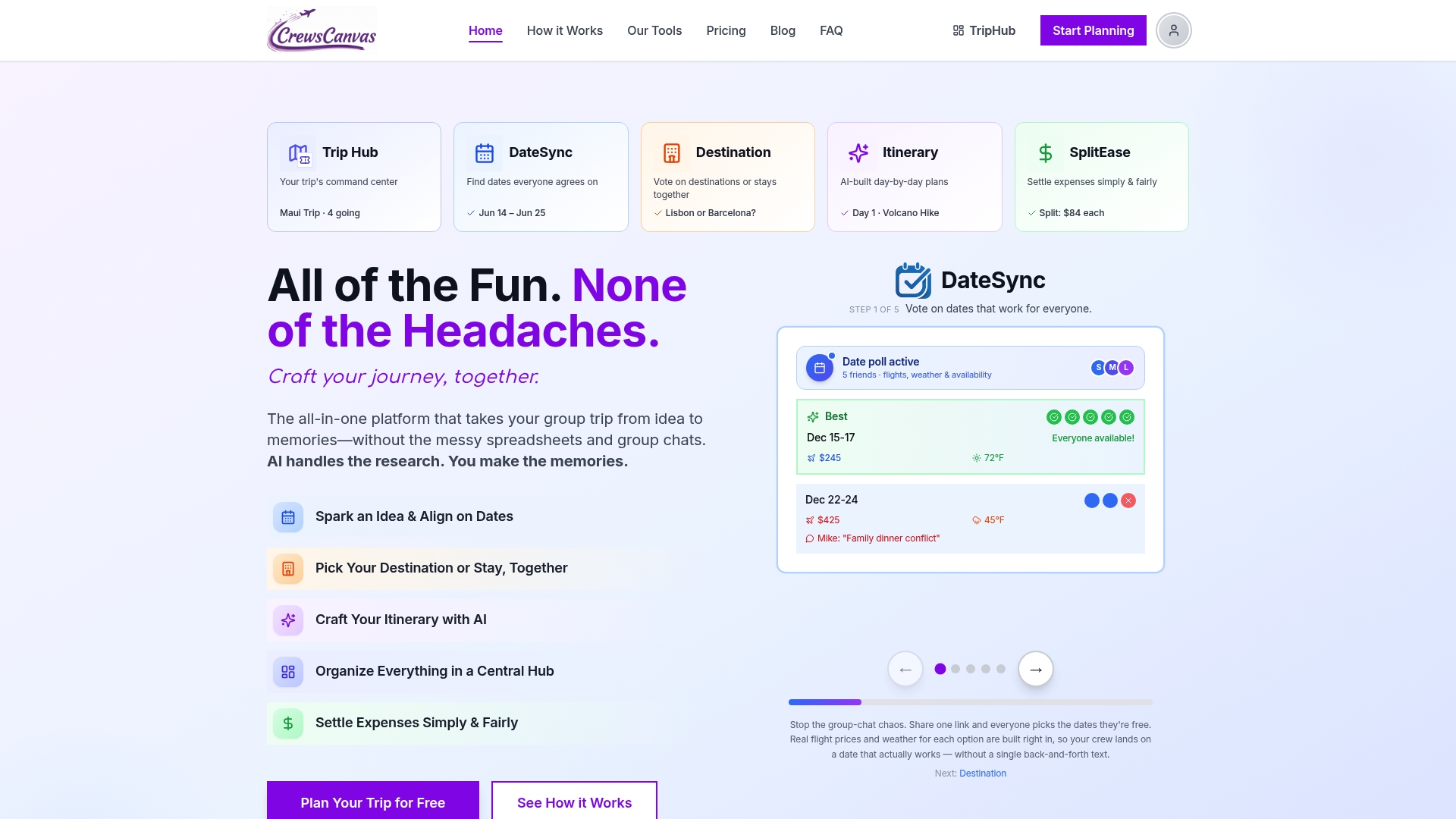
Start a trip, invite your group with a link, and let the AI itinerary generator draft your first day-by-day plan in minutes instead of hours. From there, DateSync locks your dates and SplitEase handles the money side without anyone chasing anyone for Venmo requests. Check the full feature breakdown on the group trip planning toolkit page, or see plan details on the pricing page: the Free plan covers small groups getting started, while Pro Subscription and One-Trip Pro unlock more capacity and advanced features for bigger, longer trips.
Sources
Southwest's group travel reservations page spells out exact group-size definitions and name-change windows for booking timing. The 12-step group travel checklist backs most of the step-by-step framework above. BCD Travel's guide to managing weather and delays supports the contingency planning section. For a real-world example of pacing a day around buffers and optional stops, these Ojai day-trip itineraries show the same structure in action.
- 12 essential travel checklist tips for group travel planning
- How to manage bad weather and business trips — BCD Travel
FAQ
How do I plan a group travel trip?
Start by setting goals, group size, and a rough budget, then run a date poll with a firm deadline before booking anything. Once dates lock, build a day-by-day itinerary with buffers and meeting points, assign roles like finance lead and activity lead, and set up a payment schedule tied to booking milestones, following the general group travel checklist framework.
What counts as a group for airline booking purposes?
Airlines typically define a travel group by a minimum passenger count on the same reservation. Southwest, for example, considers 10 or more passengers traveling together a group, which unlocks name-change flexibility up to about 72 to 74 hours before departure and a free ticket for roughly every 29 to 30 tickets booked.
How much does CrewsCanvas cost?
CrewsCanvas offers a Free plan and paid upgrades for additional capacity or features. Full plan details are on the pricing page.
Are group travel packages worth it?
It depends on the group's size and how much coordination you want to hand off versus manage yourselves. Packaged trips reduce planning work but often cost more and limit flexibility, while a self-organized itinerary built on a shared planning tool keeps costs lower and gives the group more control over dates, activities, and budget.
What tools do groups use to split trip expenses?
Groups typically choose between an equal split, itemized splits based on individual spending, or a captain-pays-and-reconciles approach for smaller shared costs. The right method depends on how much participants' spending varies, a point covered in more detail in how to split costs on a group trip.