
Use three templates together: a printable one-page overview, an editable day-by-day document, and a budget spreadsheet. Each one serves a different purpose, and together they cover the seven essentials: trip header, traveler list, accommodation details, day plans, budget summary, logistics checklist, and emergency info. Share the overview as a PDF; keep the budget in a spreadsheet so the math updates itself.
TL;DR:
- A trip planning template must include core components like a trip header, traveler list, accommodation details, and emergency contacts to prevent critical gaps during the trip.
- Using a PDF for printing, a spreadsheet for budget tracking, and a document for detailed schedules ensures effective sharing and updating of trip information.
- Customizing templates with input from all travelers and limiting edit permissions helps maintain a single, reliable source of truth.
- Export final itineraries as PDFs, removing sensitive details like payment information before sharing with participants to ensure clarity and security.
- CrewsCanvas offers automated tools for date voting, shared itinerary management, and expense splitting, reducing manual updates and miscommunications.
- ✓Vote on dates with DateSync
- ✓Generate a shared itinerary with AI
- ✓Manage expenses with SplitEase
Table of Contents
- Core components every group itinerary template needs
- Printable PDF, spreadsheet, or doc: which format fits your trip
- Sample templates you can copy and use today
- The five-minute setup: customizing and keeping it current
- Exporting, printing, and handing out the final itinerary
- How CrewsCanvas speeds up the same workflow
- Three rules of thumb for group itinerary success
- Ready for a template that updates itself?
- FAQ
- Sources
Core components every group itinerary template needs
A template only works if it holds the right information in the right place. Skip one of these fields and you will find out the hard way, usually at 11 p.m. in a hotel lobby with no Wi-Fi password in sight.
- Trip header: trip name, dates, main destinations, and the lead organizer's name and phone number.
- Traveler list: full name, phone or email, arrival and departure times, and any dietary or accessibility notes.
- Accommodation details: full address, check-in and check-out times, confirmation numbers, and the Wi-Fi password or front-desk phone line, which you can quickly verify using phone scripts and a hot tub check for hotel amenities.
- Day-by-day plan: time slots, activity names, meeting points, and a flag on anything immovable, like timed tickets or a train departure.
- Budget overview: per-person share, running total, a payment-status column, and a side-by-side currency note for international trips.
- Logistics checklist: transfers, meeting points, packing reminders, and ticket pickup details.
- Emergency block: a trusted contact not on the trip, local emergency numbers, and basic rescue fields modeled on a fillable trip plan template from the National Park Service.
A professional group itinerary template includes seven core components spanning logistics, accessibility needs, emergency contacts, and budget tracking, and leaving any one out tends to surface as a gap exactly when the group needs it most.
Printable PDF, spreadsheet, or doc: which format fits your trip
Each file type earns its place for a different reason. A printable one-pager works best for quick moments, like handing someone a sheet at the airport gate. A detailed multi-page file carries the reservations, confirmation numbers, and budget math that a snapshot can't hold.
- PDF: stable for printing and distribution; nothing shifts when someone opens it on a different device.
- Spreadsheet: the natural home for budget math and per-person tracking, since totals update automatically.
- Doc: easiest to copy, edit, and restructure when your schedule doesn't fit a rigid template.
For printing, stick to a US Letter layout, use a 10 to 12 point font for readability, and leave standard margins so nothing gets cut off. When you're ready to share, export your doc or spreadsheet to PDF rather than sending the editable file, which keeps formatting locked and formulas from breaking.
Pro Tip: Strip confirmation numbers and payment details from the version you hand to travelers, and keep the full file for organizers only.

Sample templates you can copy and use today
Here are four ready-to-adapt structures. Paste the fields into a doc or sheet and fill in your trip's details.
- Trip overview page: trip name, dates, destination, lead organizer and phone number, lodging name and address. Example: "Lake Tahoe Reunion, June 12 to 15, organizer Dana R., (555) 555-0100."
- Day-by-day itinerary: time, activity, location, notes. Example: "9:00 to 12:00, museum tour (timed ticket, do not reschedule), meet at the main entrance."
- Budget sheet columns: item, vendor, total cost, per-person share, paid-by status, notes, and a currency column for groups spending across borders.
- Emergency or trip plan: destination and travel method, accommodation and check-in dates, activity details, and a backup plan, structured after the NPS Trip Plan guidance, which recommends sharing the completed plan with someone not on the trip.
These four pieces cover the full arc from first draft to day-of reference, and none of them require special software to build.
The five-minute setup: customizing and keeping it current
Before anyone opens a template, agree on three things: the trip's general vibe, the daily anchor activities, and roughly how much each person wants to spend. That five-minute conversation saves hours of back-and-forth later.
- Collect input fast with a short form, a shared spreadsheet tab, or a quick poll asking about arrival times and dietary needs.
- Keep one master file with edit permissions limited to the organizer, so changes don't fork into three conflicting versions.
- Export snapshots for distribution instead of sharing the live editable file with the whole group.
- Confirm sign-off with a simple poll or an emailed PDF so everyone knows they're looking at the current plan.
This structure keeps one living document as the source of truth while giving participants a clean, static copy they can actually read on their phones.
Exporting, printing, and handing out the final itinerary
Once the itinerary is set, export your doc or spreadsheet to PDF and strip out payment references and booking numbers before sending participant copies. Keep the full version, confirmation numbers included, in your own files only.
- Single-page summary: best for quick reference during the trip itself.
- Multi-page booklet: better for longer trips with detailed reservations, printed on US Letter and folded if needed.
- Distribution: email the PDF, drop it in a shared cloud folder, or post it to the group chat, and note the date whenever you send an update.
- Accessibility: use a readable font size, bold the emergency contact block, and repeat a one-line emergency number on every page.
How CrewsCanvas speeds up the same workflow
Everything above can be built by hand, and plenty of groups do it that way. For organizers who'd rather skip the manual assembly, we built CrewsCanvas around the same checklist.
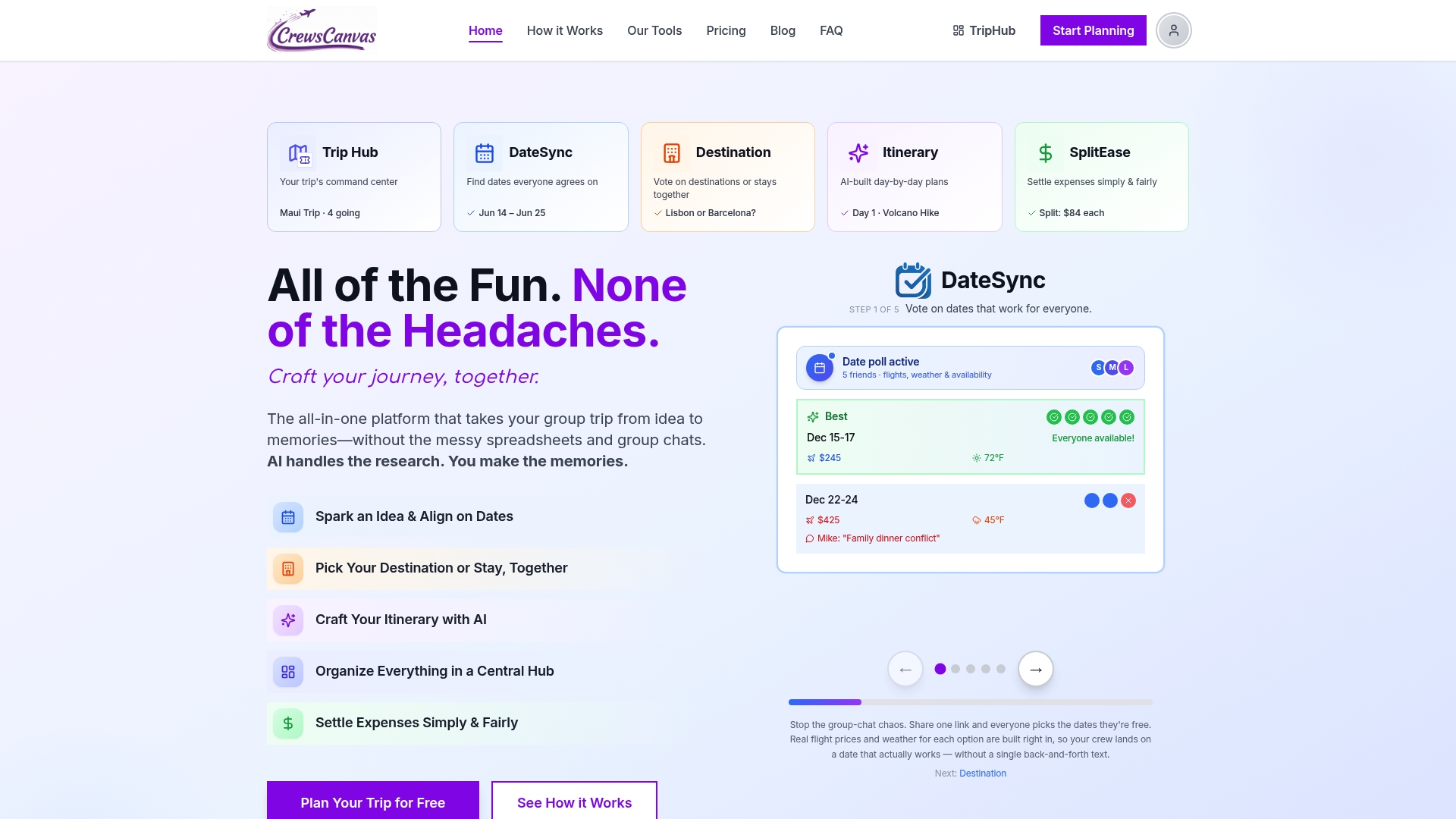
- DateSync replaces the date-picking poll with built-in voting, so the group lands on dates without a 40-message thread.
- TripHub holds the shared itinerary, reservations, and documents in one place instead of scattered across email and doc links.
- SplitEase handles the budget sheet's job automatically, tracking who paid what and settling shares without the awkward reminder texts.
Our AI itinerary generator builds a starting day-by-day plan that your group edits together, which cuts out the blank-page problem entirely. Visit our group trip planning toolkit to see how the pieces fit, or read how to build a group trip itinerary everyone will love for a fuller walkthrough. None of this is required to use the templates above. It's simply a faster route to the same result.
Three rules of thumb for group itinerary success
Put immovable items, timed tickets, pre-booked transport, fixed reservations, in the top-left corner of your master page, since those are the entries that break a plan if they get buried. Publish a clean one-page snapshot for the group and keep the detailed master editable for yourself only. Assign one person as the single point of contact for updates, so nobody is working from yesterday's version.
— CrewsCanvas
Ready for a template that updates itself?
Building these templates by hand works, but it means you're still the one chasing updates and reconciling who owes what. We built CrewsCanvas so your group can vote on dates, edit a shared itinerary, and split costs without a spreadsheet passed around by email.
If you'd rather let the planning run itself, visit our pricing page to see the Free plan, the Pro Subscription at $9.99 per month, or One-Trip Pro at $14.99 one-off for a single trip.
FAQ
How do I create an itinerary for a group trip?
Start with a trip header and traveler list, then build a day-by-day schedule around any immovable items like timed tickets or flights. Add a budget sheet and an emergency block before sharing a printable snapshot with the full group.
What are the five most important components of an itinerary?
The core pieces are the trip header, traveler list, accommodation details, day-by-day schedule, and budget summary. Logistics checklists and emergency information round out a complete template, especially for outdoor or multi-day trips.
What is a good travel itinerary template?
A good template combines a printable one-page overview for quick reference with an editable day-by-day document and a separate budget spreadsheet. For trips with safety considerations, borrowing fields from the NPS fillable trip plan strengthens the emergency section.
What is the best app for group travel planning?
The right tool depends on whether you want manual control or built-in collaboration. CrewsCanvas combines date voting, shared itinerary building, and expense splitting in one place, which removes the need to juggle separate apps and spreadsheets.
How do I handle different currencies in a group budget sheet?
Add a dedicated currency column next to your totals so costs are visible without manual conversion. This small addition cuts down on mid-trip questions, especially when group members are paying from different countries.