
The fastest way to pick a trip date is to propose a small set of date windows, set a firm deadline, collect yes, maybe, or no responses from everyone, and lock the date once results come in. Integrated tools like our DateSync feature can automate the reminders and hand your confirmed date straight to itinerary and expense tools. With a clear deadline, most groups can lock a date within about a week to 10 days, depending on responsiveness.
TL;DR:
- Offer 3 to 6 date windows, collect hard conflicts separately, and label each option with its time zone and full or partial day status.
- Choose calendar grids for exact times, short forms for date ranges and preferences, or shared calendar polls when participants already use the same organization calendars.
- State the decision rule before voting; majority works for larger groups, while unanimity is realistic for four or five close friends already committed to traveling.
- Send the poll once, remind participants midway through the response period, and send a final notice the day before closing.
Table of Contents
- How trip date polls actually work
- Step-by-step checklist to create and run a trip date poll
- Best practices that increase response rates and speed decisions
- Which method to use: grids, forms, calendar assistants, or a group chat
- CrewsCanvas DateSync workflow: a practical organizer example
- Organizer perspective: when to accept majority vs wait for everyone
- How CrewsCanvas brings polling, planning, and expenses into one place
- FAQ
- Sources
How trip date polls actually work
A trip date poll works by giving each person a short, structured way to say when they can and can't go, instead of scrolling through fifty messages trying to piece it together. You decide what to propose: specific date windows ("July 10-14" or "the second weekend in August"), exact dates, or even time blocks if the trip includes something time-sensitive like a flight or event booking.
Participants then register their availability, usually with a simple response format:
- Yes: works for me, no conflicts
- Maybe: possible but not ideal, often tied to a pending commitment
- No: a hard conflict, this date is off the table
Once responses come in, the poll aggregates them using a decision rule you set ahead of time, usually the date with the most yes votes, a simple majority, or an organizer's final call when the group is split. You can share the poll through a link, email, or calendar invite, and you'll want to decide upfront whether responses are named (so you know who still needs to answer) or anonymous (which can reduce social pressure but makes follow-up trickier).
Step-by-step checklist to create and run a trip date poll
Running a poll gets a lot easier when you follow the same sequence every time instead of improvising.
- Pick 3 to 6 candidate date windows. More than that overwhelms people and slows responses down.
- Add a separate "hard no" field. Let people flag dates that are completely out, like weddings or exams, before they even consider the options.
- Choose your format. Use a calendar-grid poll when exact times matter, or a short form when you're only deciding on date ranges.
- Build the poll with the essentials. Name, availability choices, optional notes, and time zone, since a form without a time zone invites confusion.
- Set a firm deadline and state your decision rule. Something like "we'll lock the date with the most yes votes by Friday at 6 PM" removes ambiguity.
- Share the link with simple instructions, then send one reminder before the deadline closes.
- After the deadline, review results, announce the date, and move straight into booking and next steps.
Pro Tip: Send the poll with a date already in mind as your backup, so if responses stall you can still make a call without losing the week.
Best practices that increase response rates and speed decisions
A poll only works if people actually respond, and a few small habits make a measurable difference in how fast that happens.
- Set a short, firm deadline and explain what happens next. Productivity research notes that explicit deadlines create the pressure people need to actually respond instead of letting a poll sit untouched.
- Collect hard no dates separately. Scheduling experts recommend filtering out absolute conflicts first so you're not wasting a vote slot on a date that was never viable.
- Limit your options. Six near-identical weekend choices create decision fatigue; three distinct windows are easier to weigh.
- Label every time slot with a time zone and whether it's a full day or partial day. This alone prevents half your "maybes" from being confusion in disguise.
- Send reminders strategically: one initial share, one mid-window nudge, and a last-call note the day before the deadline.
A clear deadline paired with a stated decision rule reduces the back-and-forth that stalls group polls, according to guidance on why deadlines matter.
Which method to use: grids, forms, calendar assistants, or a group chat
The right poll format depends on your group's size and how much precision you actually need.
- Calendar-grid polls work best when exact times matter, like coordinating a multi-hour group call or a shared check-in window.
- Short-form surveys suit broad date ranges and let you collect extra details like budget or lodging preferences alongside availability, which is exactly what a trip planning survey template is built for.
- Calendar-integrated invites, such as Outlook's built-in scheduling poll, work well for small, organization-based groups who already share calendars and want proposed options checked against existing busy and free time.
- A low-tech straw poll in a group chat or shared spreadsheet can still work for a tiny group of three or four close friends who will confirm verbally anyway.
CrewsCanvas DateSync workflow: a practical organizer example
Here's what the process looks like when you run it through DateSync instead of piecing it together manually.
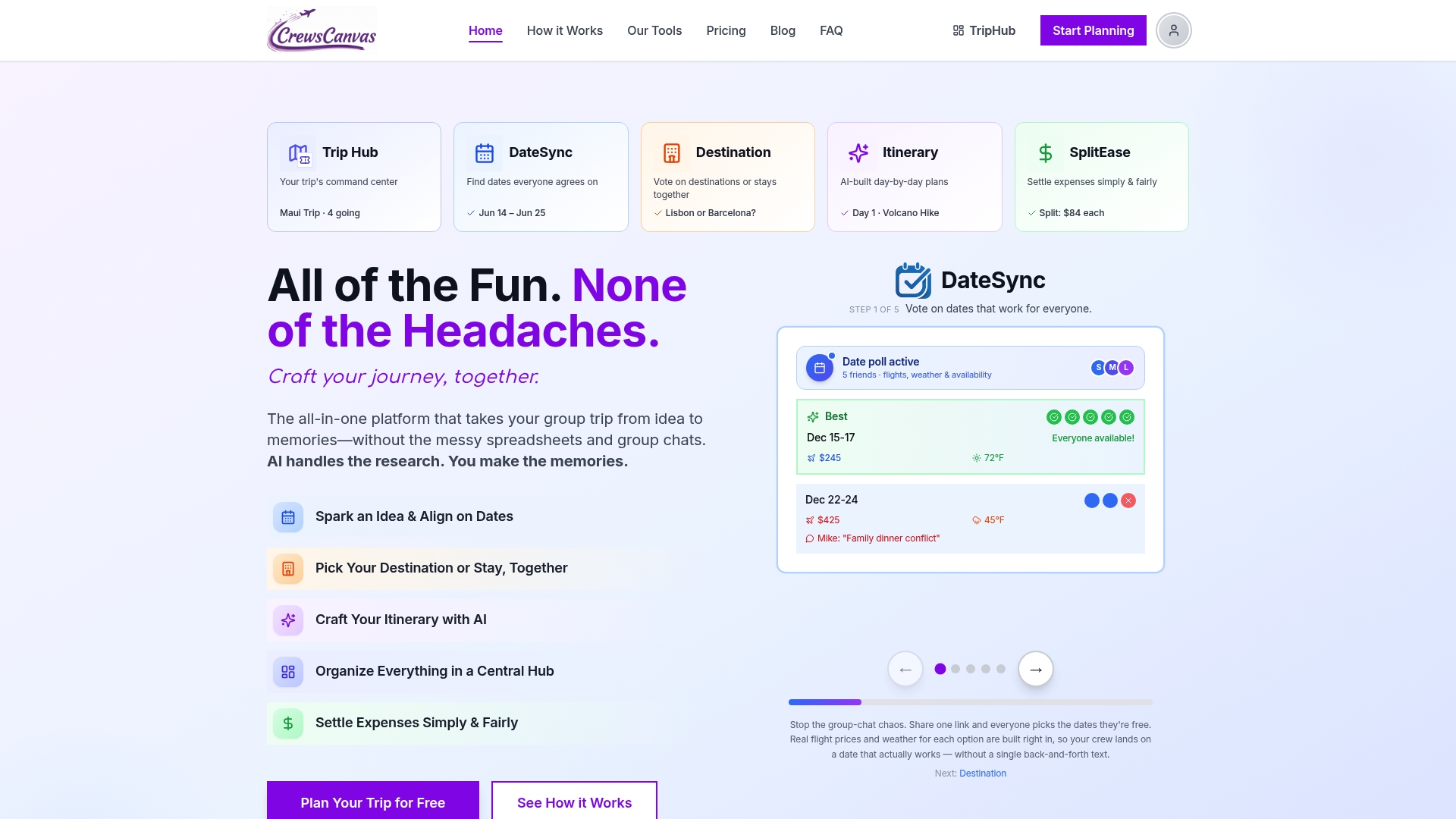
- Create a DateSync poll with your proposed windows and send participants a single link, no account or app download required on their end.
- Set your deadline and let automatic reminders do the nudging instead of chasing people individually.
- Watch availability aggregate in real time so you can see which window is pulling ahead before the deadline even hits.
- Once the date locks, the same workspace carries straight into itinerary planning and SplitEase for expenses, so you're not restarting in a new app.
Used this way, a deadline-driven poll with built-in reminders is realistically how a group lands on a confirmed date within about 10 days instead of stretching the decision across three weeks of scattered replies.
Organizer perspective: when to accept majority vs wait for everyone
Waiting for unanimous agreement sounds fair, but in practice it's how trips die in the planning stage. Unanimous attendance is realistic for a tight group of four or five close friends who have already agreed trip is happening, but for anything larger, a majority rule gets you moving. Say the decision rule out loud before you collect a single response, not after you see the results, so nobody feels the rules changed mid-game. And once the deadline passes, treat a late change as an exception to work around rather than a reason to reopen the whole vote.
— CrewsCanvas
How CrewsCanvas brings polling, planning, and expenses into one place
Once your date poll closes, the real work (lodging, activities, who owes what) is just getting started, and that's where keeping everything in one workspace saves you from juggling five different apps. We built DateSync, TripHub, and SplitEase to carry a group from "when are we going" straight through to "here's the itinerary" and "here's what everyone owes," without anyone needing to create an account.
Our Free plan covers small groups right out of the gate, and if your trip needs more room or features, Pro Subscription runs $9.99 per month and One-Trip Pro is a $14.99 one-off for a single trip. Start a poll today at CrewsCanvas and see how fast your group actually agrees on a date.
FAQ
How do I create a meeting poll in Outlook?
Outlook lets you build a scheduling poll by proposing several time slots and sending attendees a link to vote on which ones work. Full setup steps, including how to add availability options and invite attendees, are covered in Microsoft's official poll guide.
Does Google have a scheduling tool like Doodle?
Google Calendar includes a "Find a Time" feature that checks attendees' calendars for open slots, which covers simple scheduling within a shared organization. For a standalone group poll that collects open-ended yes, maybe, or no responses from people outside your calendar network, a dedicated date-polling tool is usually a better fit.
What is the best free meeting scheduler app?
The best free option depends on what you need: calendar-based tools like Outlook's poll feature work well for groups who already share calendars, while standalone form tools suit broader group coordination. Our Free plan works well for small group trips that need date polling without requiring every participant to sign up for anything.
Does Google have a Doodle poll?
Google does not offer a dedicated Doodle-style polling product, though Google Forms can be adapted to collect date availability manually. Purpose-built scheduling polls and calendar-integrated tools like Outlook's poll feature are generally faster for a group trying to lock a single date.
How long should a trip date poll stay open?
Most organizers see faster results by keeping a poll open for about a week to 10 days with a clearly stated deadline. A short, firm window paired with one reminder keeps the decision moving instead of letting it stall.
Sources
- Why deadlines are important (Indeed Career Advice)
- WhenNot — scheduling advice and tools
- Create a poll for scheduling a meeting in Outlook (Microsoft Support)
- Forms