
The fastest way to plan a trip with AI is to give it firm inputs (destination, dates, budget, pace, must-dos), ask for a day-by-day draft grouped by neighborhood, and then check the details. If you are traveling with other people, add one more step: put the draft where everyone can vote on it. That is where our AI itinerary builder fits. It generates a plan you can customize, and your group reacts to it through a shared link, with no app install and no account needed for participants.
TL;DR
- AI can suggest destinations and activities and draft a full itinerary when you give it details like trip length, weather preferences and interests.
- The quality of the draft depends on the prompt: group size, budget, pace, dietary needs and mobility limits all change the plan.
- Treat the first output as a draft. Check order, opening days and travel times before you pay for anything.
- Groups need more than a good draft: dates, votes and costs all have to be settled by several people, not one.
- CrewsCanvas combines DateSync, the AI itinerary builder, TripHub and SplitEase in one place, and it has a free plan.
Table of Contents
- What AI can actually do for your itinerary
- Step 1: Gather the inputs before you open any AI tool
- Step 2: Write a prompt that produces a usable draft
- Step 3: Turn the draft into a realistic day-by-day plan
- Step 4: Verify before you pay for anything
- Step 5: Get your group to agree on the plan
- A sample workflow for a group of six
- Common mistakes with AI itinerary planning
- Our perspective
- Start your group's itinerary
- FAQ
- Sources
What AI can actually do for your itinerary
Ask a good AI tool for a trip and you get something useful in seconds: a list of places that match your interests, a rough order for each day, a packing list, even a few restaurant ideas. MIT Technology Review describes AI as a way to draft a vacation by suggesting locations and activities once you supply key details, such as the temperatures you like, how long you are going and what you enjoy. National Geographic points to another strong use: coordinating multiple flights and suggesting destinations based on parameters like timing and price.
In practice, AI is best at the first 80 percent of the thinking:
- Narrowing a long list of possible destinations to a handful.
- Turning a vague wish ("relaxed, good food, some hiking") into a concrete sequence of days.
- Grouping stops so you are not crossing a city three times in one afternoon.
- Producing alternatives, such as a rainy-day version of each day.
What it does not replace is the agreement among the people who are going. A plan that one person loves and five people shrug at is not a good plan. That is the gap group planning has to close.
Step 1: Gather the inputs before you open any AI tool
The most common reason an AI itinerary feels generic is that the request was generic. The BBB's advice is to give the AI a role, a task and a plan of action, and notes that specifics about times, budget, interests and location make the result more personal. National Geographic adds that you should mention who is coming, such as kids, older relatives or pets, plus dietary restrictions and priorities.
Before you write a prompt, write down:
- Destination, or two or three candidates. If you are undecided, let the group vote later.
- Dates and trip length. Include arrival and departure times, since a 9 p.m. landing is not a free day.
- Group size and who is in it. Ages, mobility limits, and anyone who cannot walk more than a mile.
- A per-person budget. Say whether it includes flights and lodging.
- Interests and non-negotiables. One must-do per person is a good rule.
- Pace. Early starts and packed days, or slow mornings and one big thing per day.
Where groups get stuck here
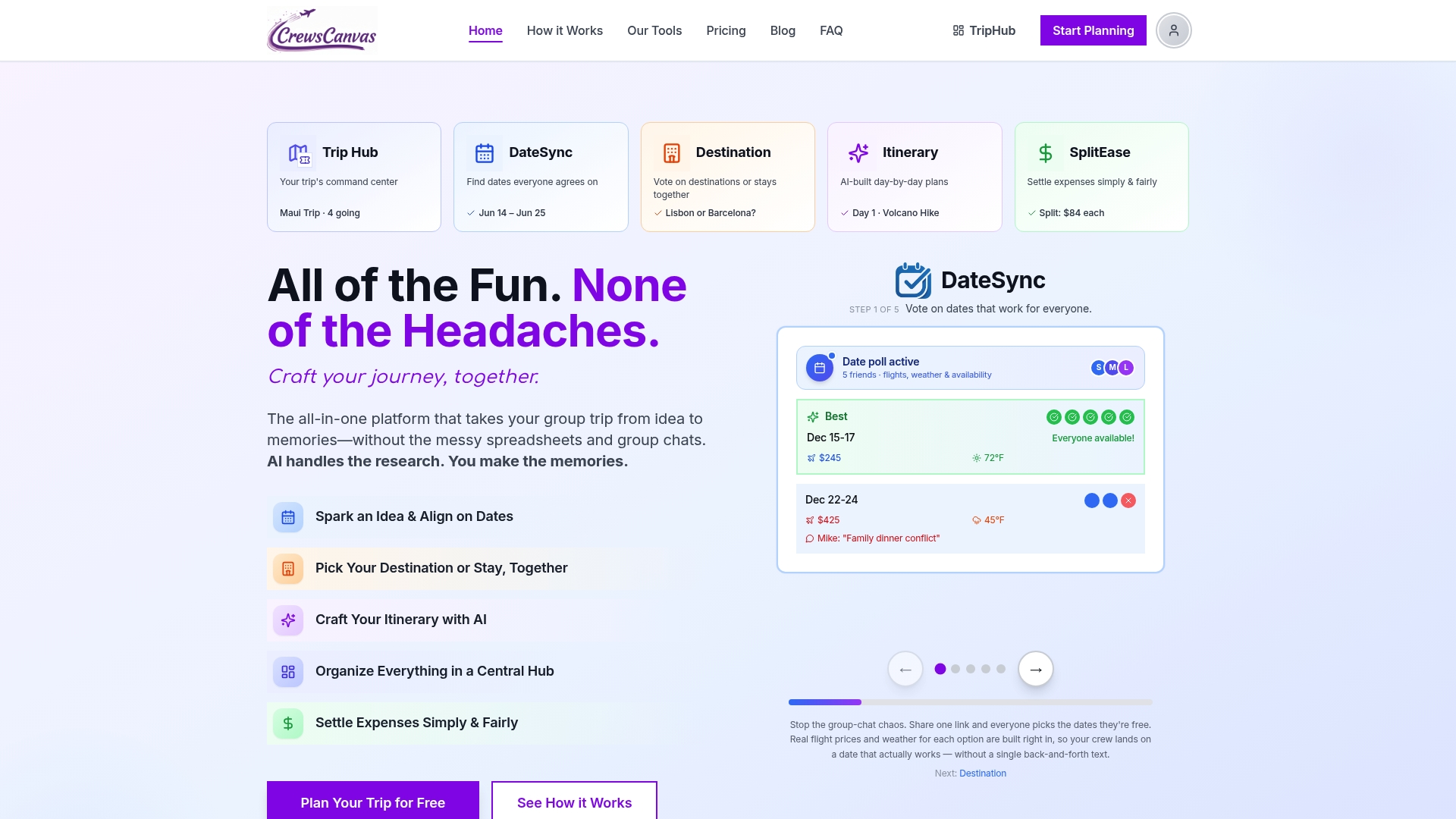
In a group, steps 1 and 2 are rarely one person's decision. Dates are usually the first fight. Before you prompt anything, lock them. Our guides on collecting trip availability and setting a deadline on a trip date poll walk through how to land on a date in about 10 days. In CrewsCanvas, DateSync handles this: everyone votes on dates through a shared link, so you are not chasing replies in a long chat thread.
Step 2: Write a prompt that produces a usable draft
A strong prompt reads like a brief to a travel planner. Here is a template you can adapt:
Plan a 5-day trip to [destination] for [number] adults, [dates], arriving [time] and leaving [time]. Budget is [amount] per person, excluding flights. We like [interests]. One person needs step-free access. We prefer a relaxed pace with one main activity per day. Group activities by neighborhood, include realistic travel times and meal breaks, and give me a rainy-day alternative for each day.
A few details make a real difference:
- Ask for geography. Telling the AI to cluster nearby stops cuts wasted transit.
- Ask for options, not one answer. Request two or three versions of the trip, for example a relaxed one, a food-focused one and a day-trip version, then pick.
- State the pace. Without it, AI tends to overpack days. A day with many attractions gets exhausting once you count queues, meals and transit.
- Name constraints that change the plan. Dietary needs, nap times, a late flight, a wedding on day three.
If your itinerary includes fixed pickups, such as an airport arrival, a ferry or a time-boxed tour, give the AI those anchor times first. Understanding how a fixed itinerary transfer works helps you tell the AI which hours are locked and which are open.
If you want more on tailoring plans to travelers, see our guide to a personalized travel itinerary.
Keep personal data out of the prompt
Describe your trip, not your identity. Do not paste passport numbers, payment details or private documents into any AI prompt. Names, dates and rough budgets are enough to get a good plan.

Step 3: Turn the draft into a realistic day-by-day plan
The first output is a skeleton. Now you shape it.
- Read each day for pace. Count the stops. Anything over three major ones in a day deserves a second look.
- Check the order on a map. MIT Technology Review recommends cross-referencing the final itinerary against Google Maps so the sequence makes sense geographically.
- Add buffers. Leave an hour between anything with a ticket time. Leave a free afternoon in a trip of four days or more.
- Mark what is fixed and what is flexible. Reservations are fixed. Wandering and shopping are flexible.
- Ask for a rewrite. "Move the museum to Tuesday, swap the long hike for something shorter, keep dinner near the hotel." Iterating is the point.
This is also the step where a dedicated planner beats a blank chat window. In our AI itinerary builder you can generate the plan and then edit it directly: drag stops around, swap days and add notes, so the plan lives in one place instead of in a pile of copied text. TripHub keeps your documents and reservations next to the plan, so confirmations are not scattered across inboxes.
Step 4: Verify before you pay for anything
A good draft is not a booking sheet. Rick Steves' team advises using AI for small tasks and big-picture information gathering rather than as the final word, and notes that a plan can include a sight that is closed or misjudge how much time or distance an activity takes. Tools that cannot see live bookings will not know current prices or ticket availability either, and AARP's guidance is that for flights and hotels you still visit the booking sites or apps to complete the purchase.
A short checklist keeps you safe:
- Every place exists and is open on the day you plan to go. Check opening days, especially Mondays and holidays.
- The route makes sense. Look at real transit or driving times between stops.
- Prices and availability match the provider's own page right before you book.
- Entry requirements and rules are confirmed on the official government or venue site.
- Timed tickets are rechecked closer to the date.
The BBB frames the output as a starting point rather than a final product, and that is the right mental model. The AI gets you from nothing to a plan in minutes. You spend your time on the checks that make the plan reliable, and on the people part.
Step 5: Get your group to agree on the plan
A solo traveler can stop after step 4. A group cannot. Even a perfect itinerary fails if half the group never saw it, or if one person quietly planned the whole trip and now owns every complaint.
There is research behind the idea that the group is the hard part. A Wharton team's report on a group itinerary recommender built a system that takes each member's preferences into account and curates destinations with a fairness algorithm, because optimizing for one person's taste leaves others unhappy. You can borrow the principle by hand:
- Collect preferences first. One must-do and one deal-breaker per person.
- Generate two or three draft versions and share them rather than one.
- Let people vote on destination, lodging and the big activities.
- Lock the plan and share the final version in one place.
- Settle costs as you go, not after the trip.
This is where CrewsCanvas earns its place. Participants open a shared link and vote on dates, destinations and accommodation, and nobody needs to create an account or download an app. That matters when your group includes a parent who dislikes new apps, or a coworker who will not sign up for anything. You can see how the pieces connect on our tools page, and our guide to a shared travel itinerary covers how to build one your group will actually open.
Money, the other group problem
Budget disagreements are the most common reason group trips sour. Settle the expectations early, and track spending live. SplitEase tracks shared expenses, scans receipts and settles up, so nobody has to bring up who owes what at the airport. For more on keeping budgets, dates and goodwill intact, read our guide to friends trip planning.
A sample workflow for a group of six
Here is how the whole process can look for six friends planning a long weekend:
| Stage | What happens | Who does it |
|---|---|---|
| Dates | Everyone marks availability, the group picks the date with the most votes | All six, via a shared link |
| Inputs | Organizer lists budget range, pace and one must-do per person | Organizer, with replies from the group |
| Draft | AI generates two or three itinerary versions grouped by neighborhood | Organizer |
| Vote | Group picks a version and flags swaps | All six |
| Check | Organizer verifies opening days, travel times and prices | Organizer |
| Book and store | Reservations and documents stored in one shared hub | Organizer |
| Settle | Expenses logged as they happen, balances settled at the end | All six |
The organizer still does real work, but it is the useful work: reading a draft, checking the details and making the call. The repetitive work (chasing replies, copying details between apps, tallying receipts) goes away.
Common mistakes with AI itinerary planning
- Prompting once and accepting the answer. The best plans come from three or four rounds of refinement.
- Overpacking days. AI will happily schedule seven stops. You will not enjoy them.
- Ignoring the group. Planning for the loudest preference rather than all of them.
- Skipping the check. Opening days and travel times are quick to verify and expensive to get wrong.
- Keeping the plan in a chat. If the final version lives in one person's message history, it will be lost on day two.
Our perspective
We built CrewsCanvas because the hard part of a group trip was never a lack of ideas. Ideas are easy, and AI makes them easier still. The hard part is getting six or ten people to agree on dates, a place to stay and a plan, and then to share the cost fairly.
That is why our AI itinerary builder sits next to DateSync, destination and accommodation voting, TripHub and SplitEase instead of standing alone. A draft is most useful when the whole group can see it, react to it and change it, and when the receipts, reservations and documents live in the same place.
We also believe participants should not have to do homework to join. A shared link, no required app and no required account means the people you travel with can contribute in a minute, and the organizer is not left doing everything.
CrewsCanvas
Start your group's itinerary
CrewsCanvas has a Free plan for small groups, so you can generate an itinerary, set up a date poll and see how the shared hub works before you spend anything. When you need more capacity or advanced features, Pro is $9.99 per month, and One-Trip Pro is a $14.99 one-off payment for a single trip. See the pricing page for what each plan includes.
If you are comparing options first, our roundup of the best apps for planning a group trip in 2026 lays out what to look for.
FAQ
Can I use ChatGPT or another chatbot to plan a trip?
Yes. A general chatbot can draft destinations, a day-by-day outline and packing lists if you give it specific details. Treat the output as a draft and confirm opening hours, prices and travel times before booking. For a group, move the draft into a shared plan where everyone can vote and edit.
How do I create an itinerary with AI?
List your destination, dates, budget, group makeup, interests and pace. Ask for a day-by-day plan that groups stops by neighborhood, includes travel times and meal breaks, and offers a rainy-day alternative. Then refine it over a few rounds. In CrewsCanvas, you can generate the itinerary and customize it in the same place.
How accurate are AI itineraries?
They are a strong starting point, and they work best when you add your own checks. Cross-reference the order of stops on a map, confirm opening days and tickets on official pages, and recheck time-sensitive details close to your travel date.
Can a group plan a trip with AI together?
Yes, and it works best when the group shares one plan instead of separate chats. With CrewsCanvas, participants vote on dates and options through a shared link without needing an account or an app, and the organizer keeps the itinerary, documents and expenses in one hub.
Is there a free way to start?
CrewsCanvas offers a Free plan for small groups. Paid options are Pro at $9.99 per month and One-Trip Pro at $14.99 one-off, both on the pricing page.
Sources
- How to use AI to plan your next vacation, MIT Technology Review
- AI can help you plan your next trip if you know how to ask, National Geographic
- BBB Tip: Create an AI-tinerary
- AI for Trip Planning? Tread with Caution, Rick Steves' Europe
- ChatGPT and other AI can help you plan a trip, AARP
- Sparrow, a travel itinerary recommender system for groups, Wharton
- Fixed itinerary transfer explained