
A good group travel planner does three jobs: it gets everyone to agree on dates, it keeps the plan and bookings in one place, and it makes splitting costs painless. You can do this with a shared document and a lot of patience, or with a purpose-built group travel planning app. Either way, the method matters more than the tool. This guide walks through the method, the work an organizer actually takes on, and what to look for if you want software to carry some of the load.
- ✓Vote on dates with DateSync
- ✓Generate an itinerary with AI
- ✓Manage shared costs with SplitEase
TL;DR
- Decide dates first, then budget, then the broad shape of the trip. Offer two or three realistic options, not a flood of links.
- Share the organizer's work: one person for dates, one for lodging, one for money.
- Agree on how costs are split before anyone books anything.
- Keep one source of truth for the itinerary, bookings and documents, so nobody scrolls a 200-message chat to find the address.
- A group travel organizer app earns its place when your group is larger than a handful of people or the money is complicated.
Table of Contents
- Why group trips stall in the group chat
- How to organize a group trip, from first idea to departure
- Who does what: sharing the organizer's work
- Choosing dates, destination and activities that work for everyone
- Coordinating lodging, transport and bookings
- Building an itinerary your group will actually use
- Budget, contributions and fair cost splitting
- What to look for in a group travel planning app
- Handling changes, dropouts and disagreements
- Try it with your next trip
- FAQ
- Sources
Why group trips stall in the group chat
Every group trip starts the same way. Someone says "we should all go somewhere," ten people react with a thumbs up, and then nothing happens for three months. Or too much happens: dozens of links, three conflicting date ideas, and a payment request nobody saw.
The problem is rarely enthusiasm. It is that nobody owns the process. Chats are good for banter and bad for decisions, because decisions get buried under the next 40 messages.
A travel writer for the Sydney Morning Herald makes the same point: shrink the universe by settling dates first, then budget, then the broad shape of the holiday, and put two or three realistic options in front of the group rather than 27 links dropped into WhatsApp over six months. That order is the backbone of everything below.
How to organize a group trip, from first idea to departure
Here is a sequence that works for friends, family reunions and team retreats alike.
- Name an organizer (or a small team). One person holds the process together. More on sharing the load in the next section.
- Poll for dates. Ask for availability, not opinions. Offer a window, such as three possible weekends, and let people mark what works.
- Set a budget range. Do this before choosing a destination, because it removes half the options for you.
- Narrow the destination. Present two or three shortlisted places with a rough cost for each, then vote.
- Choose lodging and transport. These are the biggest costs and the hardest to change, so they come next.
- Build the itinerary. Fixed items first (flights, check-in, a big dinner), then optional activities.
- Collect money and track spending. Agree on the rules early and keep records as you go.
- Send a final briefing. A week before departure, one message with addresses, times, confirmation numbers and who is paying for what.
Notice that nothing here requires a spreadsheet with 14 tabs. It requires decisions made in the right order.
Who does what: sharing the organizer's work
The organizer role burns people out when one person does everything. Splitting it into clear jobs keeps resentment out of the trip.
- Date wrangler: runs the availability poll and calls it when a date wins.
- Lodging lead: shortlists places, checks bed counts and fees, handles the deposit.
- Money keeper: tracks shared costs and chases balances. One financial coach quoted in The Cut suggests appointing a 'vacation CFO' to quarterback costs and set up a tracking system.
- Itinerary editor: collects ideas and turns them into a day-by-day plan.
- Communicator: sends the recaps and reminders so nobody has to ask what is happening.
In a group of four, one person can hold two of these. In a group of twelve, give each job its own owner. If you want a deeper look at keeping friends on the same page, our guide to friends trip planning that keeps budgets, dates and peace intact covers the social side.
Choosing dates, destination and activities that work for everyone
Dates first
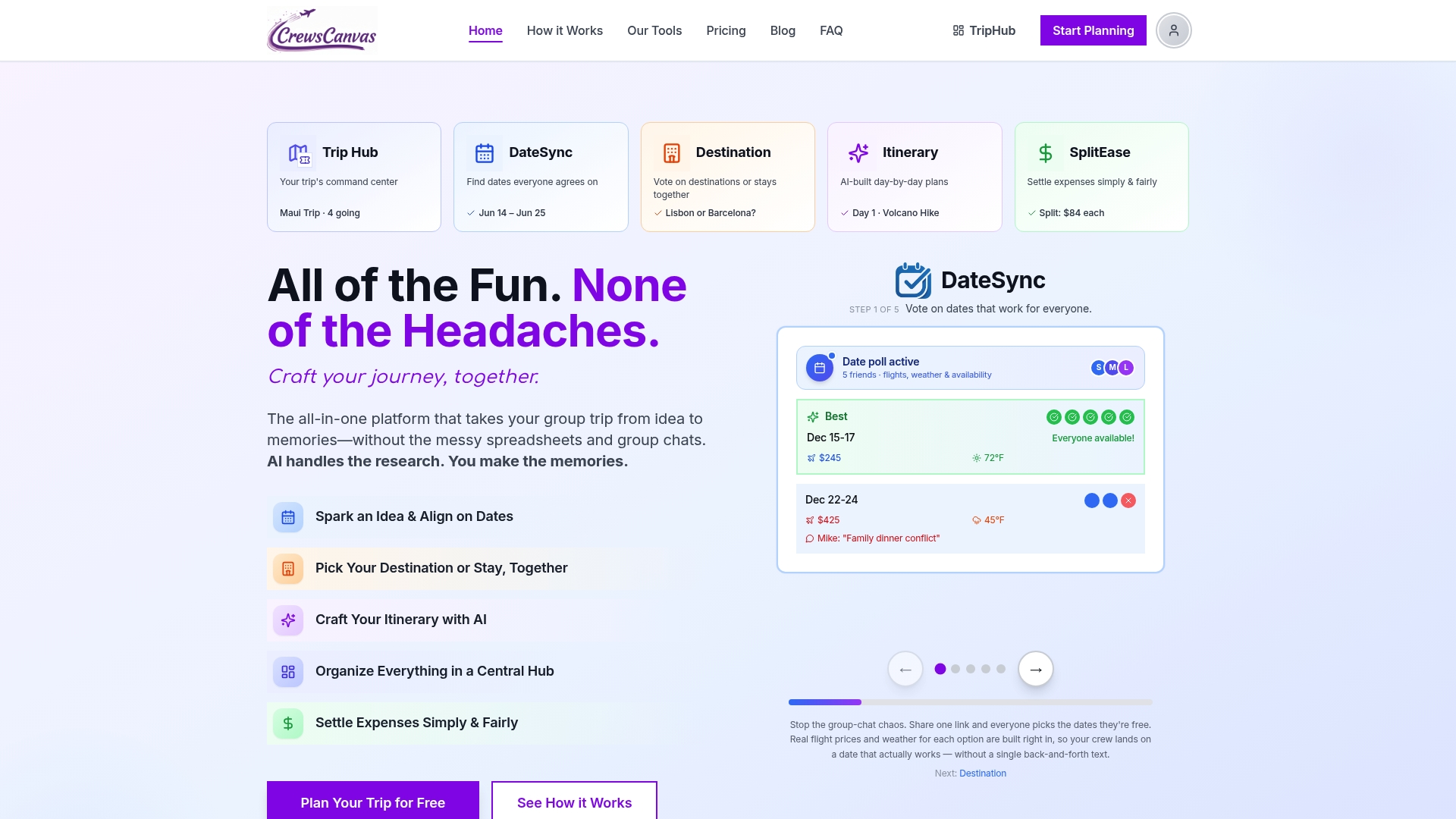
Dates are the hardest constraint, since each added person multiplies the conflicts. Resist debating destinations until a date window is locked. A simple poll beats a thread of "I can do the 12th, maybe the 19th." Our walkthrough on picking a vacation date when your group has 10 different schedules shows how to run one. CrewsCanvas builds this into DateSync, where participants vote on dates from a shared link.
Then the destination
Skip the open-ended "where do you want to go?" Instead, the organizer shortlists two or three places that fit the date and budget, with a one-line pitch and a cost estimate each. Voting on three real options is quick. Voting on twenty ideas never ends.
Then activities, with room to opt out
The same Herald piece says the question underneath all group planning is how much togetherness everyone wants, and it recommends an explicit opt-out: no offence taken if someone skips lunch, drops a sightseeing stop or reads by the pool. Build that into the itinerary. Mark a few anchor events as "everyone" and the rest as "join if you like."

Coordinating lodging, transport and bookings
Lodging and transport are where group trips quietly go wrong. A rental that sleeps ten may have only six real beds. A deposit may be non-refundable by the time two people drop out.
Before anyone pays:
- Count actual beds, not the "sleeps up to" number.
- Check cleaning, resort and pet fees, plus the cancellation window.
- Decide who pays the deposit and how the group reimburses them.
- Confirm arrival times so that late flights are not stuck outside a locked door.
Our guide to checking beds and fees before paying a deposit goes through this in detail. For transport, list who is arriving when and from where, then group people into shared transfers where it saves money. A group travel checklist is a useful template for the booking details every large party needs to confirm: lodging, transfers, timings and a contact for each.
Keep every confirmation, ticket and reservation in one shared place. When the group hub holds the documents, nobody has to ask the organizer to forward the booking email for the fifth time.
Building an itinerary your group will actually use
An itinerary fails when it is too detailed to follow or too buried to find. The version that works has three layers:
- Fixed: flights, check-in and out, reservations with times.
- Planned but flexible: a morning hike, a market visit, a beach day that can swap with a rainy-day option.
- Free time: blocks with nothing scheduled, deliberately.
Make it available on every phone without requiring anyone to install anything. We cover this in how to build a shared travel itinerary your group will use. If you would rather start from a draft, the itinerary builder generates an AI-assisted plan you can edit with the group.
Budget, contributions and fair cost splitting
Money is the topic groups avoid until it is awkward. Raise it early and make it routine.
Ask about comfort before you plan
A certified financial planner quoted in The Cut suggests polling the group with a form that allows anonymous answers and offers three price ranges for lodging, since even if someone can pay for something, that does not mean they want to. Anonymous input lets people with tighter budgets speak up without embarrassment.
Itemize, do not default to even splits
Splitting every dinner evenly sounds fair until one person ordered a salad and water. The same article quotes a financial coach recommending that people self-select what they ordered rather than divide the bill equally. Our guide to itemized expense splitting for trips shows how this works in practice, and how to split costs on a group trip without the drama lays out the ground rules.
Track as you go
The worst time to reconstruct who paid for what is two weeks after you get home. Log expenses on the day, photograph receipts, and settle at the end with the fewest possible payments. If balances do linger, we have scripts and a spreadsheet for tracking unpaid trip expenses, plus a primer on expense splitting etiquette.
What to look for in a group travel planning app
Shared chats and documents are enough for a small, simple trip: four friends, one rental, one weekend. Once you add more people, multiple bookings or shared costs, a dedicated group travel organizer app saves real effort. Use this checklist.
| Feature | Why it matters | Chat or doc enough? |
|---|---|---|
| Date polling | Finds the overlap without a 60-message thread | Rarely beyond 4 people |
| Destination and lodging voting | Turns opinions into a clear decision | Works for very small groups |
| Shared itinerary | One current version everyone sees | Yes, if someone keeps it tidy |
| Document and reservation storage | Confirmations in one findable place | Yes, with discipline |
| Expense tracking and settlement | Fair splits, receipts, minimal payments | Gets messy fast |
| No required accounts or installs | Everyone can join, including the least techy relative | Chats win here |
That last row is a big one. A tool that demands every participant register will lose half your group before the first vote. Look for a planner where guests can join from a link.
Our perspective
We built CrewsCanvas around one belief: the organizer should not have to be the group's unpaid project manager. Most group trips are lost in spreadsheets and endless chats, and the fix is a single hub where dates, destinations, itineraries, documents and expenses live together.
That is why participants can collaborate from a shared link, with no required app installs or accounts. People vote on dates in DateSync, organize bookings in TripHub and settle costs in SplitEase, so nobody needs a separate tool for each job.
We think transparency is what keeps a group excited. When everyone can see the plan and the costs, there is less room for awkward conversations and more room for the trip itself.
CrewsCanvas
Handling changes, dropouts and disagreements
Someone will cancel, and someone will disagree. Plan for it.
For dropouts, one vacation-rental company's guide recommends a clear routine: tell everyone the same day you learn of it, hold a 30-minute video call within 48 hours, share the facts (who is out, the financial impact, options already explored), and send a written recap within 24 hours. It also advises keeping emotion separate from logistics, being direct about money and assigning one person to track agreements.

For disagreements, go back to your criteria. If the group agreed on a budget range and a date window, most arguments resolve by checking the option against those rules. Where they do not, a short vote with a deadline beats an open-ended debate.
The cancellation terms you checked at booking now pay off. They tell you what the group can recover, which makes the money conversation factual instead of personal.
Try it with your next trip
If your next trip involves more than a few people, CrewsCanvas gives you date voting, destination and lodging votes, an editable AI-generated itinerary, shared documents and itemized expense splitting in one place. Participants join through a link, with no accounts or app downloads required.
There is a Free plan for small groups. Pro Subscription is $9.99 per month, and One-Trip Pro is a $14.99 one-time purchase if you only need extra capacity and features for a single trip. See the details on the pricing page or browse the full toolkit.
FAQ
What is the best way to plan a group trip?
Settle dates first, then budget, then the general shape of the trip, and present two or three real options for voting. Assign separate jobs for dates, lodging, money and the itinerary. Keep everything in one shared place so decisions do not get lost in chat.
Do I need a group travel planning app?
For a small trip with a few close friends, a shared document and a chat can work. Once you have several people, multiple bookings or shared expenses, an app that handles voting, itineraries and cost splitting saves time and reduces arguments. Choose one that lets guests join without creating accounts.
What does a group travel organizer do?
The organizer keeps the process moving: runs the date poll, shortlists destinations, coordinates lodging and transport, collects money and sends updates. The best organizers share these tasks rather than carrying them alone.
How do we split costs fairly on a group trip?
Agree on a budget range before booking, name one person to track spending, and log expenses as they happen. Itemize meals and activities when people order differently instead of splitting everything evenly. Settle up at the end with as few payments as possible.
What if someone drops out at the last minute?
Tell the whole group the same day, then meet briefly to review who is out, what it costs and what options exist. Follow with a written recap so everyone agrees on the outcome.
Sources
- Planning a group holiday: Expert tips on organising, Sydney Morning Herald
- How to Split Expenses With Friends on a Group Trip, The Cut
- Group Dropout Last Minute Guide, AvantStay