
A group trip planning spreadsheet works when it has a few clear tabs, one owner and a habit of updating it. It stops working when ten people edit it at once, half of them never open it and the real decisions happen in a 200-message group chat. Below is how to build the sheet, what the checklist should cover, how to split costs inside it, and how to get the same result with one shared link and no formulas to maintain.
- ✓Date votes with DateSync
- ✓AI-powered itinerary generator
- ✓Expense management with SplitEase
TL;DR
- Use four tabs: Dates and Headcount, Bookings, Itinerary, Expenses. Name one person as the sheet's owner and give everyone else comment or edit access as needed.
- Collect deposits before you book lodging. A paid deposit tells you the real headcount better than a thumbs-up emoji does.
- Log every expense with an amount, a payer and the people who shared it. Net balance is paid minus owed.
- A sheet only helps if people open it. CrewsCanvas puts dates, votes, itinerary, documents and costs behind one link that needs no app and no account for your participants.
- Start with the free plan for a small group. Upgrade only if the trip needs more capacity.
Table of Contents
- Why group trips outgrow the spreadsheet
- What to put in a group trip planning spreadsheet
- Share it so people can actually edit
- A group trip planning checklist, from first idea to departure
- How to track trip expenses in a spreadsheet
- Spreadsheet or trip planning app: which fits your group?
- Our view: the plan should live where the group already is
- Try it with your next trip
- FAQ
- Sources
Why group trips outgrow the spreadsheet
Every group trip starts the same way. Someone says "we should go," someone else opens a blank sheet, and within a week the sheet has three versions, a tab nobody understands and a column of costs with no names next to them.
The spreadsheet itself is not the problem. The problem is that it asks one person to be the project manager, the bookkeeper and the reminder service. Three things usually break first:
- Dates. People type "maybe" in cells, and nobody can see the overlap at a glance.
- Decisions. Votes on destination or lodging happen in chat, so the sheet is out of date the moment someone replies.
- Money. Costs get entered late, or without saying who owes whom.
If you want to build the sheet anyway, and for a small, organized group it can be a fine start, here is how to do it properly.
What to put in a group trip planning spreadsheet
Keep it to four tabs. More than that and people stop knowing where to look.
Tab 1: Dates and headcount
One row per person. Columns: name, available dates (or the weekends they can do), budget ceiling, deposit status and a confirmed yes/no. Use a dropdown for status (Invited, Interested, Deposit paid, Confirmed, Out) so nobody has to read free text. Add date validation to the date cells so a typo does not break your sorting.
This is the tab that decides everything else. The headcount sets the size of the house or the number of flights, so do not move on until it is solid.
Tab 2: Bookings
One row per booking: what it is (flight, lodging, car, tour), confirmation number, who booked it, the cost, a link to the reservation and the free-cancellation deadline. For flights add the airline, flight number, arrival time and terminal for each traveler, since people often arrive separately. Add a short emergency contacts block at the bottom.
The cancellation deadline column is the one groups forget and later regret. Sort by it so the next deadline is always on top.
Tab 3: Itinerary
One row per day. Useful columns are date, morning, afternoon, evening, transportation, who is responsible and estimated cost. If your trip starts on a Wednesday, simply delete the days before it so the grid matches the calendar. Leave one block per day marked "free time" on purpose. Groups that schedule every hour end up skipping half of it.
We go deeper on this tab in our guide to building a shared travel itinerary your group will actually use, and there is a printable group travel itinerary template with copy-and-paste plans if you prefer to start from a layout.
Tab 4: Expenses
One row per expense: date, description, amount, who paid, and one column per person with a checkmark for those who share it. We cover the math below.

Share it so people can actually edit
A sheet nobody can open is worse than no sheet. In Google Sheets, the owner can share with specific people or by link and assign Editor, Commenter or Viewer access, and can protect sheets or ranges so formulas stay intact. In Excel, co-authoring shows collaborators' changes within seconds when the workbook sits in a supported cloud location and everyone uses a supported version.
A few settings save arguments later:
- Give most people Commenter access and let two or three trusted people edit. A cousin who sorts column C alphabetically can wreck an afternoon of work.
- Protect the formula cells in the Expenses tab so only the owner can change them.
- Pin the link at the top of your group chat. If people have to scroll to find it, they will not use it.
This is also where the spreadsheet starts to cost you. Everyone needs an account that works with the file, a device that handles it well, and the patience to read a grid on a phone. With our platform your participants open one shared link in a browser, with no app to install and no account to create, which is why the replies come back faster.
A group trip planning checklist, from first idea to departure
The questions people search for here, a group travel checklist or a group vacation planning checklist, all come down to the same sequence. Work through it in order, and the sheet's tabs map onto each stage.
Phase 1: Decide who, when and how much
- Name one organizer and one backup.
- Share a rough budget range before anyone suggests destinations. Money surprises are the most common way groups split.
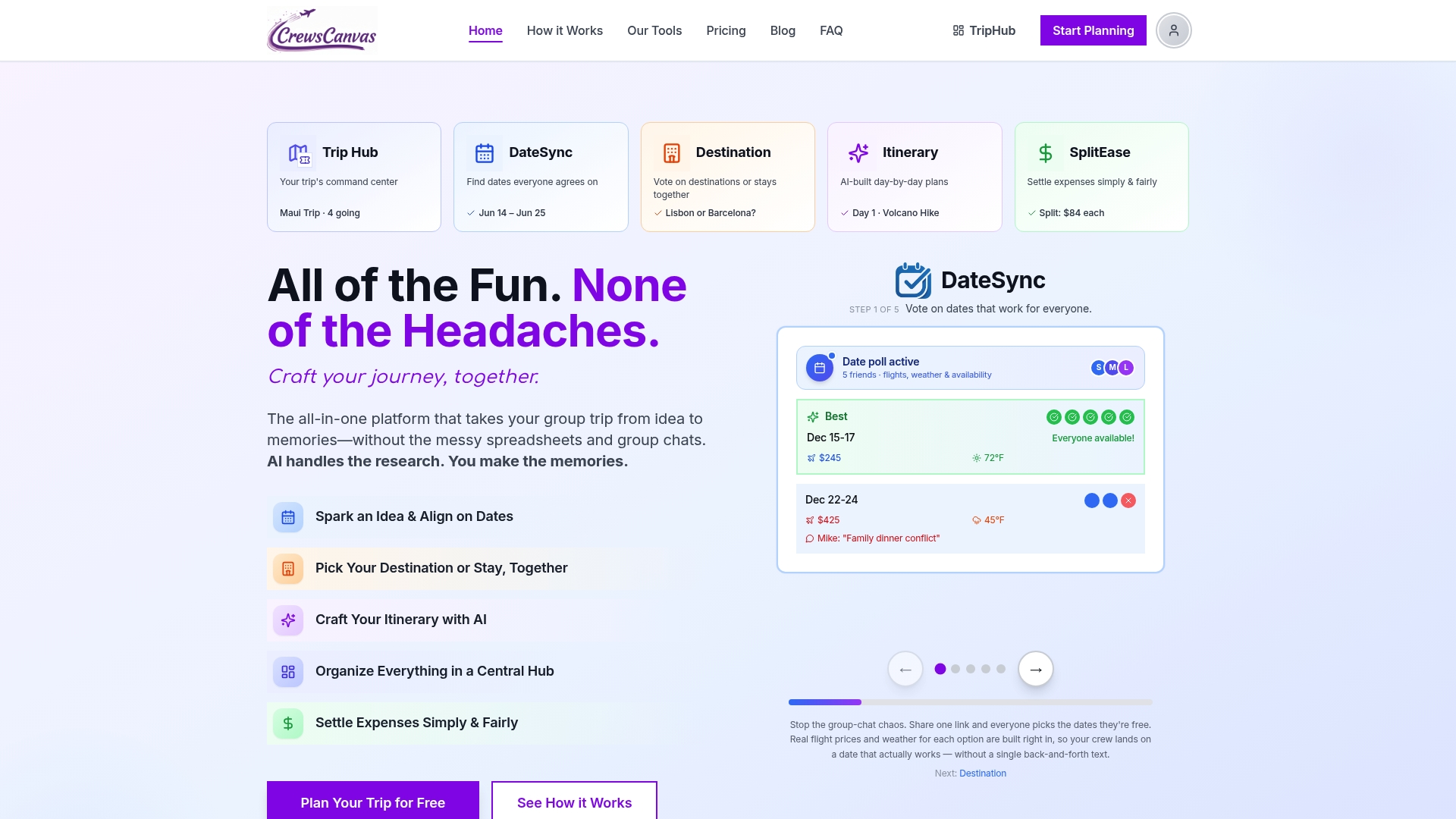
- Collect date availability from everyone in one place, not in chat. DateSync does this with a poll: participants vote on the dates that work, and you see the overlap rather than a pile of messages.
- Vote on a destination and a lodging style. Keep the shortlist to three options at most.
Phase 2: Commit before you book
This is the step that saves the most money and friendship. One group-lodging company's checklist recommends collecting deposits before booking the lodging, because a deposit is a more reliable signal of commitment than enthusiasm. Booking a house for twelve and ending up with eight is a cost someone has to absorb.
Before paying, check bed counts, fees and cancellation terms against your actual headcount. Our guide to checking beds and fees before paying a deposit walks through it. If you are renting a villa, a checklist for renting a villa shows the kind of details worth confirming before you pay, from access to included services.
Phase 3: Book and document
- Book flights, lodging and any big activities, and record each in the Bookings tab with its cancellation date.
- Store confirmations, tickets and reservation PDFs in one place everyone can reach. TripHub keeps shared documents and reservations together so nobody has to dig through email for a booking number.
- Plan meals in advance for house stays: who cooks, who shops and what the group agrees to split.
Phase 4: Four to six weeks out
- Check passports. Some countries require a passport valid for at least six months beyond your trip dates, and some airlines will refuse boarding if it is not met. Ask everyone to check now, not the week before.
- Confirm any visa or entry requirements for the destination with the official government source for each traveler's nationality.
- Ask each traveler to check their health insurance and consider travel insurance.
Phase 5: The final two weeks
- Confirm final numbers and collect any remaining payments.
- Send one consolidated arrival message: addresses, check-in times, who arrives when, who has the keys.
- Share the day-by-day itinerary and mark which items are fixed and which are optional.
Phase 6: During the trip
- Log shared costs the same day. Receipts get lost, and memories of who paid for what fade quickly.
- Keep one place for the plan, so "where are we meeting?" has one answer.
- Decide on a settle-up date before you leave, not after.
How to track trip expenses in a spreadsheet
This is the part that causes the most awkward conversations, so build it carefully.
For each expense, record the amount, who paid and who shared in it. Then, for each person, total what they paid and what they owe across all expenses. The result is a net balance: paid minus owed. A positive number means the group owes that person, a negative number means they owe the group, and zero means they are settled.
Here is a worked example. Four friends rent a cabin.
| Expense | Amount | Paid by | Shared by |
|---|---|---|---|
| Cabin | $800 | Maya | All four |
| Groceries | $120 | Dev | All four |
| Ski passes | $300 | Sam | Maya, Dev, Sam |
| Dinner | $80 | Lee | All four |
The cabin costs $200 each. Groceries cost $30 each. Ski passes cost $100 each for the three skiers. Dinner costs $20 each.
- Maya owes $200 + $30 + $100 + $20 = $350 and paid $800. Net: +$450.
- Dev owes $350 and paid $120. Net: -$230.
- Sam owes $350 and paid $300. Net: -$50.
- Lee owes $250 and paid $80. Net: -$170.
The balances sum to zero, which is your check that nothing was entered wrong. Maya gets $450 back: Dev sends her $230, Sam $50 and Lee $170.
That works for four people and four expenses. At fourteen people, fifty receipts and uneven shares, someone's formula breaks and someone else's Venmo request arrives with no explanation. SplitEase is built for this: you log an expense, choose who shared it, scan the receipt, and it keeps the running balances and the settlement. Our guides on group expense tracking, itemized splitting and three ways to track who paid what cover the habits that keep it painless, and the unpaid trip expenses guide has scripts for the friendly reminder.

Spreadsheet or trip planning app: which fits your group?
Here is a straight comparison of the two ways to run the same trip.
| Need | Spreadsheet | CrewsCanvas |
|---|---|---|
| Finding a date | Type availability into cells, compare by eye | DateSync poll, everyone votes on a shared link |
| Choosing a destination or lodging | Chat thread plus a pros-and-cons tab | Voting on options in one place |
| Itinerary | Build row by row | AI-generated itinerary you can customize |
| Documents and reservations | Links pasted into a tab | TripHub keeps them together |
| Splitting costs | Formulas you maintain | SplitEase with receipt scanning |
| Participant setup | Account or compatible app | Web link, no app, no account needed |
The last row matters more than it looks. In most groups, one or two people do all the work because everyone else finds the tool a hurdle. When participation is just tapping a link, the organizer gets answers instead of chasing them.
We compare the two approaches at more length in group trip spreadsheet vs trip planning app, and if you want the process with no grid at all, see how to organize a group trip without a spreadsheet.
Our view: the plan should live where the group already is
Most group trips do not fail because of the destination. They stall in the gap between "everyone is excited" and "everyone has committed," and that gap is filled with chat messages, half-updated sheets and one tired organizer.
We built CrewsCanvas around that gap. DateSync turns "what works for you?" into a vote. Destination and lodging choices can be voted on rather than debated. The itinerary generator gives you a draft to react to, which is far easier than a blank page. TripHub holds the reservations, and SplitEase keeps the money visible so nobody has to ask for it awkwardly.
The detail we care about most is that participants do not need an account or an app. If the person you are planning with has to download something first, the plan has already lost momentum. A link is something everyone can open.
A spreadsheet can be a fine start. A shared hub is what lets the whole group stay in it.
CrewsCanvas
Try it with your next trip
CrewsCanvas has a free plan for small groups, so you can run your dates, votes, itinerary and costs in one place before spending anything. When a trip needs more capacity or advanced features, Pro Subscription is $9.99 per month and One-Trip Pro is a $14.99 one-off payment for a single trip. See the plans on our pricing page, or look at our tools to see how DateSync, the itinerary builder and SplitEase fit together.
If the money is what worries your group most, start with SplitEase. If you are still stuck on when to go, begin with DateSync.
FAQ
What should a group trip planning spreadsheet include?
Four tabs cover most trips: dates and headcount, bookings, itinerary and expenses. Add a status dropdown for each traveler, cancellation deadlines for each booking and a payer column for every expense. Keep it simple enough that people open it.
How do I keep everyone updating the same sheet?
Share it by link, give most people comment access and name one owner. Post the link where the group already talks and ask for updates by a set date. A shared link that opens in a browser with no sign-up, as in CrewsCanvas, removes the biggest reason people do not respond.
How do I track trip expenses without spreadsheets?
Use a tool that records each expense with its payer and participants and calculates the balances for you. SplitEase does this and scans receipts, so the group sees who owes what throughout the trip rather than in a long message at the end.
When should we collect money for a group trip?
Before you book lodging or other non-refundable items. A deposit confirms the headcount, which sets the size and price of the booking. Agree on the amount and the deadline when the group votes on the destination.
What should a group travel checklist include before departure?
Passports valid for the length required by your destination, entry requirements, insurance, confirmed bookings with their cancellation dates, final headcount and one arrival message. During the trip, log shared costs the same day and agree a settle-up date.
Sources
- Collaborate in Sheets, Google Docs Editors Help
- Collaborate on Excel workbooks at the same time with co-authoring, Microsoft Support
- Frequently Asked Questions about Passport Services, U.S. Department of State
- How to Organise a Group Holiday: Full Checklist
- Shared Expense Calculator in Excel 365
- Cape Town Luxury Villa Rental Checklist